Hatred
Not enough ratings
Hatred - How to play with Controller
By CaptainAchiever
This guide will help you how to properly play with controller.
   
Award
Favorite
Favorited
Unfavorite
Solution
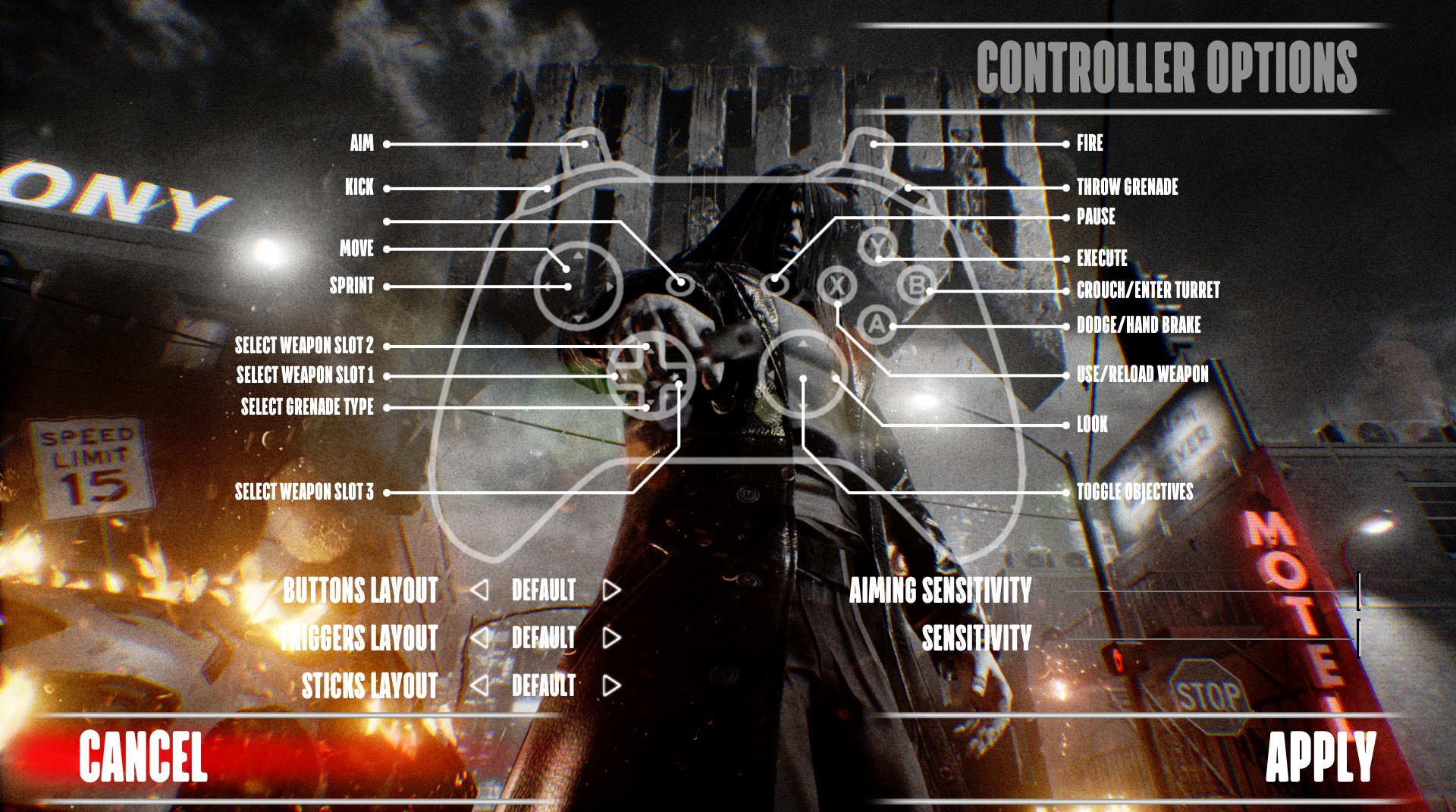
Unfortunately, the dev has messed up the controller support with wrong configuration on the right joystick and buttons. I've created a controller layout based on the in-game layout:


To download my controller layout go to Hatred through your Steam library, click on the controller icon, then click on your current layout which is probably the official / messed up one and then click on "Community Layouts". On that list find the one with the title "Xbox PROPER Controller Support", download it and apply it. Next, go to the Controller Options in-game and set the "Aiming Sensitivity" and the "Sensitivity" all the way up just as shown on the image above.

Now, you can enjoy the game with controller!

Note: If you can't see my layout on the list you have probably connected a non-Xbox Series X controller. While you're on "Community Layouts" press the button "Show All Layouts". There you will see the entire list for all devices (Xbox 360, PS5 etc.)
5 Comments
CaptainAchiever  [author] 18 Oct @ 6:11am 
@insaniae_remedium Of course it's there. If you can't see it you have probably connected a non-Xbox Series X controller. While you're on "Community Layouts" press the button "Show All Layouts". There you will see the entire list for all devices (Xbox 360, PS5 etc.)
insaniae_remedium 18 Oct @ 3:51am 
Is it still there I've looked and can no longer see it
CaptainAchiever  [author] 7 Aug @ 10:56am 
@ItsManBearPiigSD It should be there, check again.

@insaniae_remidium Thank you, glad it helped you too.
ItsManBearPiigSD 7 Aug @ 10:45am 
Is this still on there I can’t find it?
insaniae_remedium 24 Jul @ 4:31am 
I was struggling with this just tried it absolutely brilliant works perfectly