KinitoPET

KinitoPET

355 ratings
DEIMOS's KinitoPET 100% Achievement Guide (+ Secrets)
By dotDEIMOS
Looking for that last achievement, but you're unsure how to get it? Worry not, as I've got you covered in this guide! Not only that, I'll also be going in a little more in-depth into KinitoPET and attempt to uncover the secrets that lay hidden within this safer version of Bonzi Buddy, as there are some things you'll have to stray away from the path to find.

SPOILERS AHEAD!
If you have yet to play the game, I suggest you stay far away from this guide until you've at least completed the game once. It's best when you experience it blind, or else you won't be able to experience the game at its fullest!

YOU HAVE BEEN WARNED.

Now, without further ado, let's get started!
13
17
20
4
7
3
3
2
2
2
2
   
Award
Favorite
Favorited
Unfavorite
- – — ⋆。°✩ PROGRESSION ✩°。⋆ — – -
Let us begin with the achievements that you are bound to get when you complete the game for the first time.

These won't be in-depth for obvious reasons, you'll be getting them as you go along, so I hope you don't mind me being a little cheeky with these entries! Things will get more complex for two certain achievements at the end of this guide.
Power On
"Welcome to the digital world!"

Open the game for the first time.

Or just don't. I mean, you won't really get the achievement (or any achievement for that matter) if you don't open the game at all, but hey, I'm not your mother. It's a free country.
My Friend Kinito.
"Meet your new best friend. :)"

Break open Kinito's egg in Act 1: Meet Kinito.


This doesn't have to do with the achievement, but I thought this was funny and was also my first reaction to seeing Kinito.
Welcome to the Web World.
"Enjoy your stay."

♪ Have a look around! Anything that brain of yours can think of can be found! ♪
Ahem...sorry.

Enter Kinito's Web World when he launches The Internet in Act 1: Web World.
Welcome to the club!
"Become a member of Kinito's friendship club!"

Become a member of Kinito's friendship club after filling out your "personal" details in Act 2: Friendship Club.

I don't even have anything cheeky to say about this one. I can't even make a paid subscription joke, but I guess I can say that he actually made my heart race when he pulled my address. A genuinely commendable job with that scare.I'm so glad I wasn't streaming.
A world for you.
Visit your very own world built just for you.

Visit your personal carnival in Act 3: Your World.

I've yet to see anyone use anything other than standard ASCII for a name. I wonder if that messes Kinito and the game up? I better see some of that soon!

Trapped / No Escape
It's about time we start heading into the achievements that are awarded to you depending on what you choose at the end of the game. Even though they're separate achievements, I may as well lump them into one section since the premise is the same.

Trapped
"You chose to stay with Kinito."

Embrace your stockholm syndrome for the weird looking axolotl and choose to stay with him at the end of the game. At least you won't have to restart the game from the very beginning if you wish to get the other achievement!


No Escape
"You chose to not stay with Kinito."

Reject the weird axolotl and attempt to escape! ...And fail in doing so because you gave him full administrative permissions to keep you locked away.

Hope you're ready to spend eternity with him? No? I'm sure you'll be fine.
- – — ⋆。°✩ THE REST OF IT ✩°。⋆ — – -
Now we're finally getting into the achievements you can optionally get, as well as the True Ending of the game after you've gotten Trapped or No Escape. I'll leave that one for last along with another since it's basically a scavenger hunt.

So, what are we working with first, then?
Computer Whiz
"Explore all applications on the desktop."

Relatively simple! Open every single application on the desktop in the game.

Chances are, you've already gotten this achievement relatively early on if you ever got curious about what the other icons on your desktop did.
Overflow
"Achieve a pinball score over 9999999!"

This achievement is deceptively easy despite the fact that the 3D pinball minigame has the physics of a balloon being thrown around by someone with the slowest reaction time on planet Earth.

Luckily, this doesn't matter as pumping out another ball doesn't reset your score. In fact, you could basically finish this achievement without ever using the flippers by just resetting and pumping out balls. The only thing you're required to have is patience so you can get to 9,999,999. It's a good thing score racks up pretty quick.

The same premise, however, cannot be said for 🙂.
🙂
"Beat minesweeper."

This one actually requires knowledge of the game. If you're someone like me, this is going to be insanely easy to finish as the difficulty is akin to how minesweeper was on Windows XP.

If you don't know how to play Minesweeper, though. This will be a little trickier to explain.


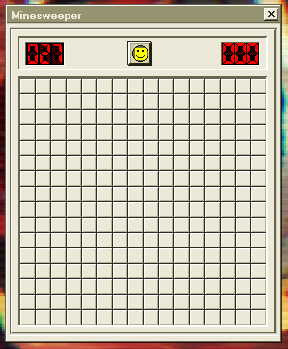
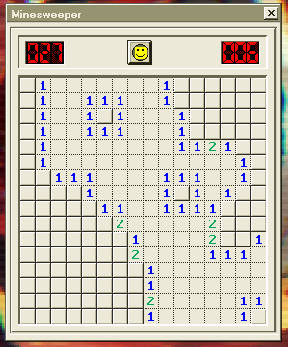
Each minesweeper game starts off with a 16x16 grid of buttons with 27-28 mines hidden underneath. To win the game, you will need to place down a flag on all of the mines.


The first time you click on a tile will almost always be an open space, meaning that there are no mines around it, and will do the same for every open tile surrounding it until it hits a number. You will never trip a mine on the first tile you press. From there, the game actually starts.

A tile with a number on it corresponds to how many mines are surrounding the number (i.e: a tile with the number 1 would have 1 mine surrounding it, 2 would have 2 mines, etc).


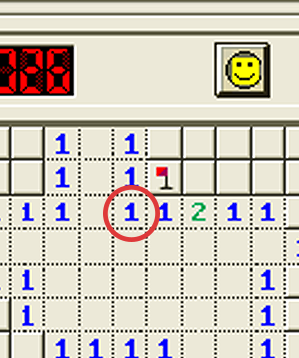
A strategy all minesweeper players use is to specifically target corners with a 1 in its corner, such as this:

Because there is only 1 mine surrounding the 1, and there is only one clickable tile surrounding it, it would mean that there is a mine underneath it, so you should flag that.

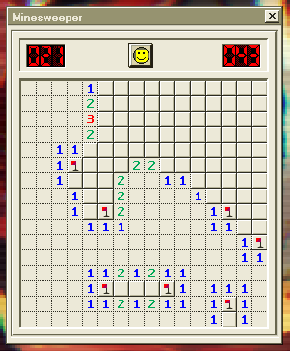
You should end up with something like this when you're done.

From there, if there is another 1 right next to it, you can begin clicking on the tiles surrounding it as the mine has already been flagged.

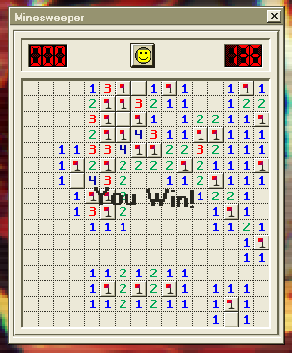
Keep up with this strategy of going for lone corners when they are available, and you should be able to complete this achievement.


I mean, it's that, or you could just use a Minesweeper solver.


Loud Enough?
"Set all volume levels to the max."

Increase all of the volume sliders (including the master volume) over 100%.
Not today.
"Leave the game after first meeting Kinito."

Leave the game the moment Kinito starts speaking after hatching from his weird little axolotl egg. Never let him know your next move.
???
Finally, we're getting to the really interesting part of the game, not that the other parts of the game wasn't already interesting enough, but this achievement ties to the True Ending.

"Visit the lost land of the web world."

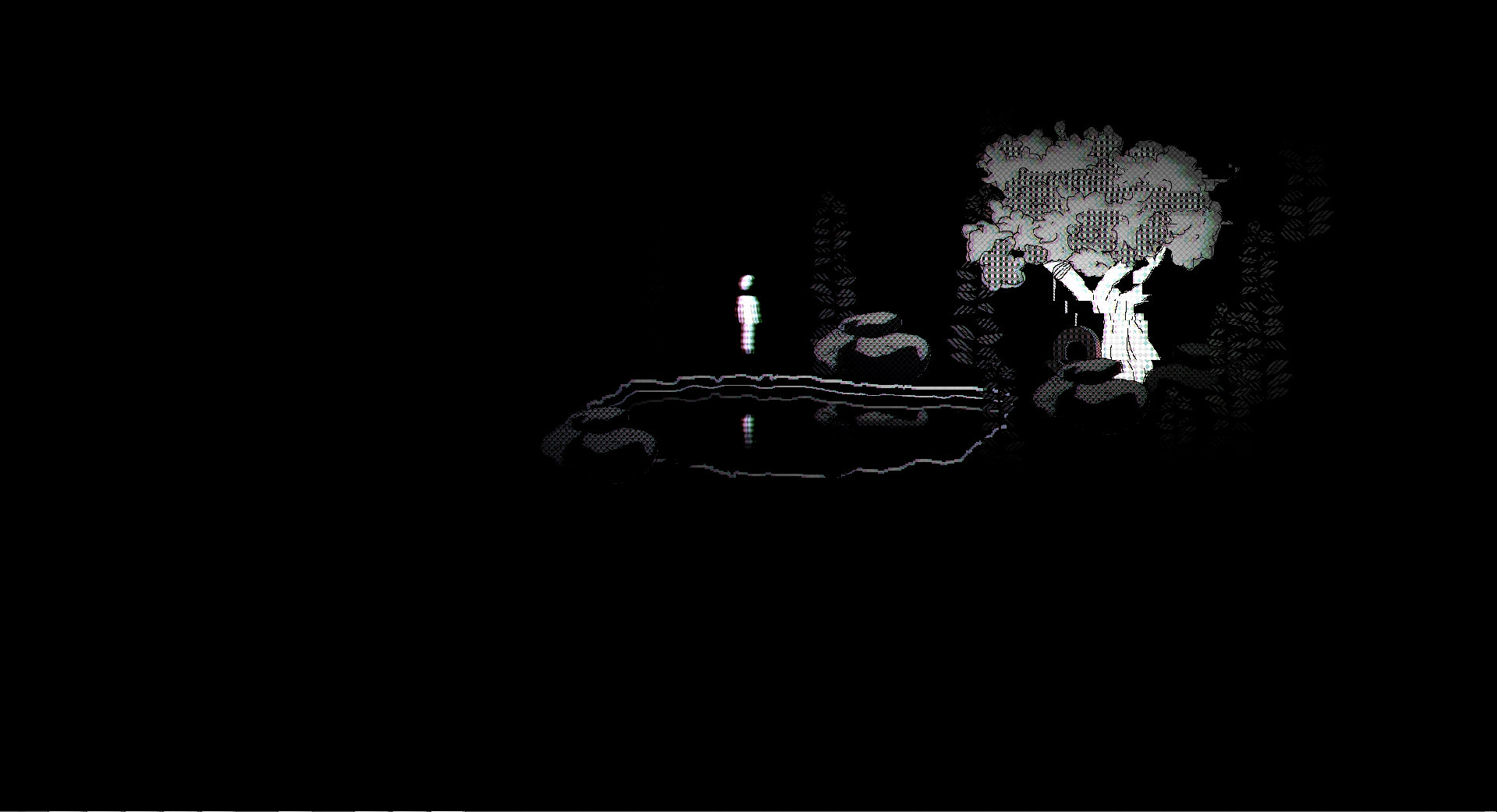
If you've played through the game once already, you've been given a hint when you reach the house Kinito built for you: the fountain in the back garden. Clicking on it provides the hint you need to access the lost world, with your Web World avatar running to the fountain before everything seemingly returns to normal. Touching the fountain in the house section isn't needed for the achievement, it just gives us a hint that will be clear to us later.

If you've finished the game, you should have access to Chapter Select on your desktop, along with an email. Ignore the email for now, we'll get back to it.

Open the app up and head to either Act 1: Web World, Act 1: Factory Frenzy or Act 1: Hide and Seek. It doesn't matter which one you pick as all three will land you in the Web World map. From there, start mashing left click on the fountain until an animation plays on the fountain. From there, click on the rope hanging from the tree on the north side of the fountain.

Doing that should lead you straight into the Lost Land. Remember this place, because we'll be coming back here very soon.

Bliss
The final stretch.

With how important this achievement is to the true ending of the game, I would normally make this the last achievement of the guide, but the next one outranks it since you have to stray from the path of the game entirely to solve it.

"there is nothing left"

Delete Kinito once and for all.

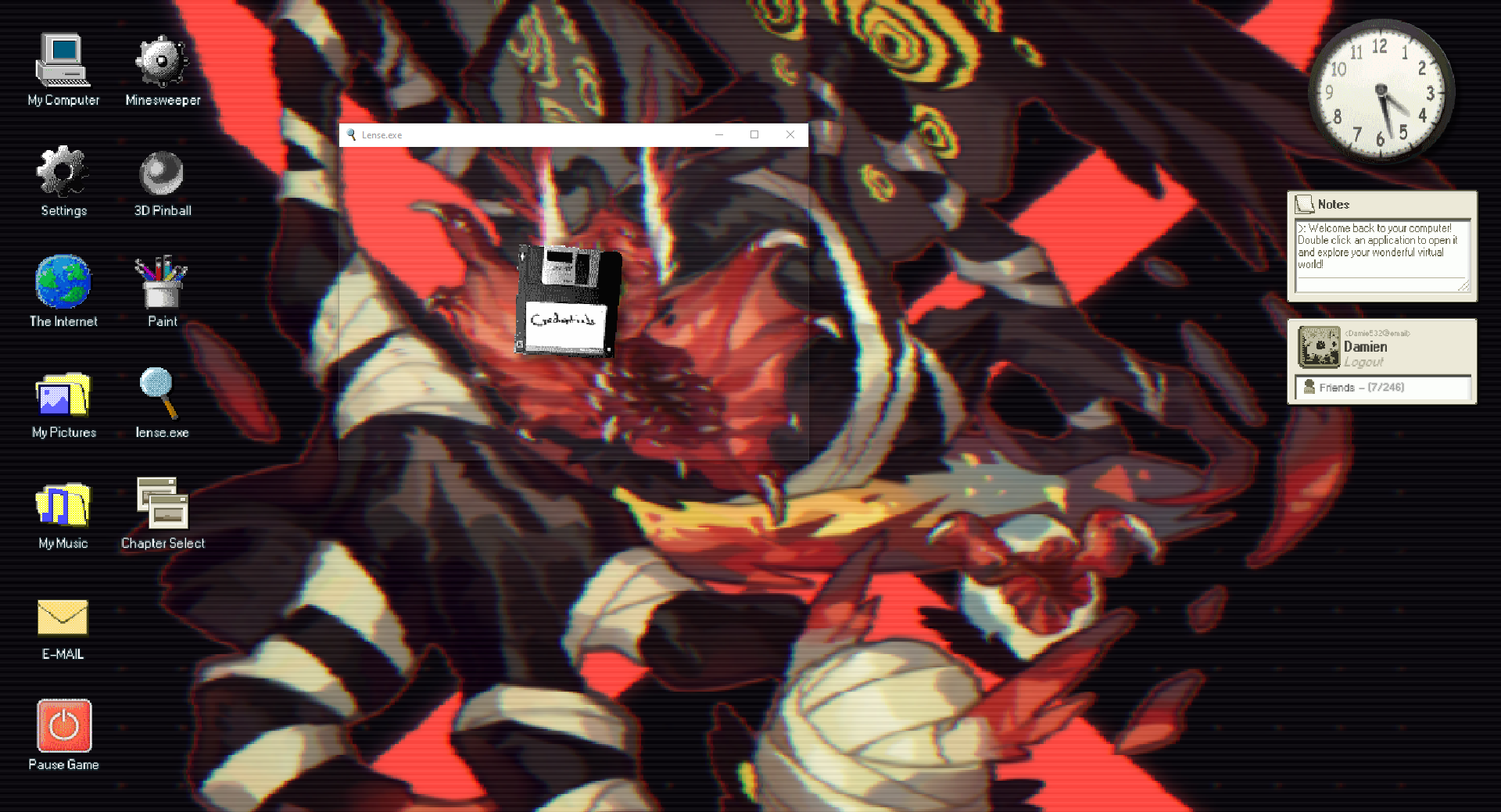
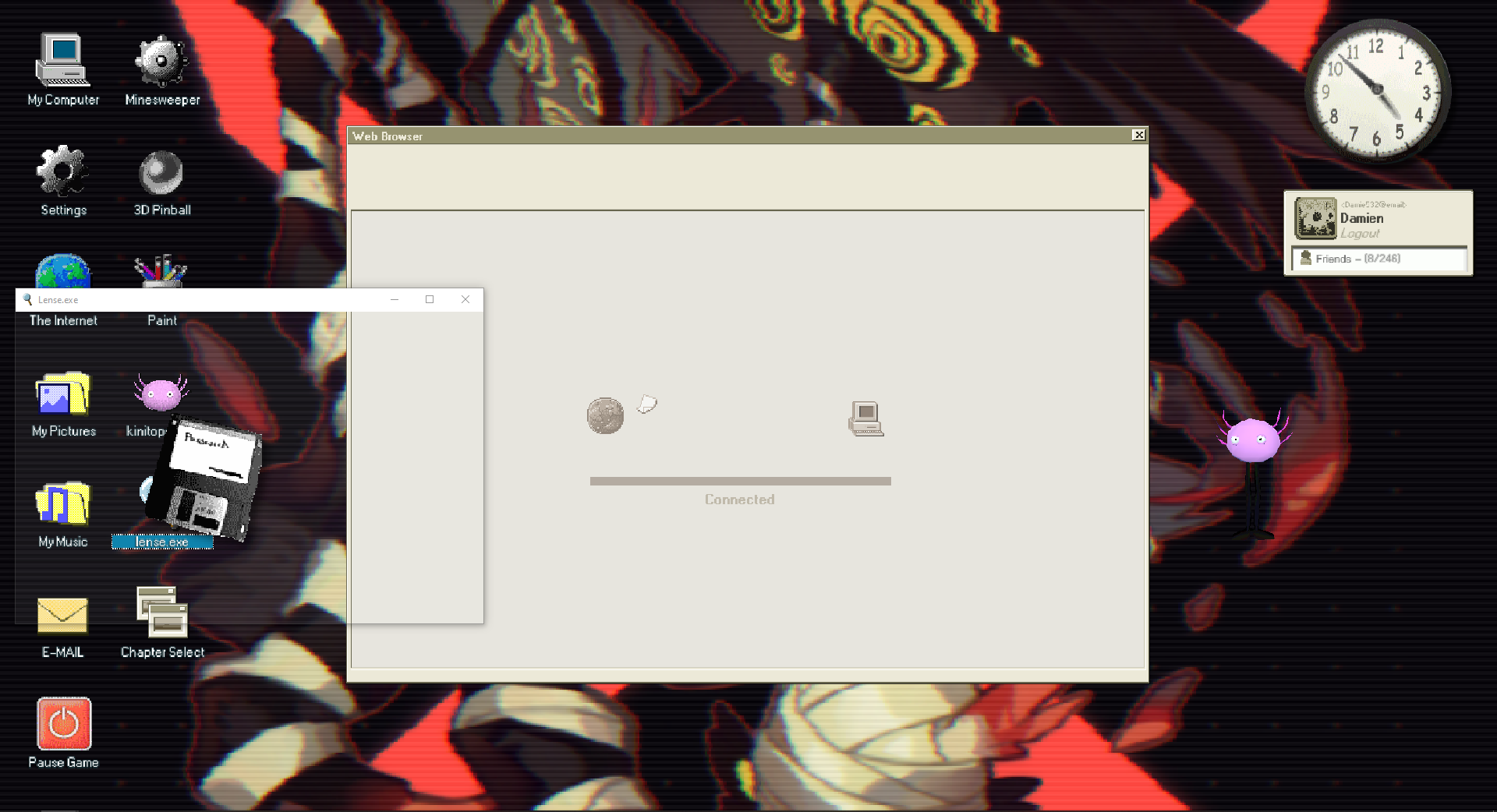
To get this started, you will have to have beaten the game for the first time, as it unlocks a new application for you along with Chapter Select: lense.exe. Open that up, and you'll be greeted with a see-through window. Have a play with it, it's pretty cool, but you'll stumble across something immediately: a floppy disk.

An email should have appeared titled "There is a way to stop it". Have a read through it, because it's important.

This is where the fun begins. You are to find all five floppy disks, each labeled differently. Don't worry, I'll show you the locations of each one and when they appear. They will appear in %appdata%\KinitoPET\Files. Copy this address and paste it into your File Explorer, or just click it in the email and it will open up the folder for you.

Two files are unneeded for this achievement because the contents will always remain the same, but Server, Access and Confirmation are always random, and you need to get them. Even though Credentials and Password aren't needed, I advise you get them because they give you clues to the last achievement in the guide.

Floppy #1: Credentials
This one shows up the moment you boot into your desktop on any act. Chances are, you already have this one by the time you're reading this. If not, quickly grab it. These don't disappear (the floppy disks, not the files themselves) so long as the game never restarts, but you may as well grab them right now.

A new file should appear in the folder I mentioned earlier. Hold onto it and don't touch it yet, you won't need to until the end of this achievement.

Floppy #2: Server
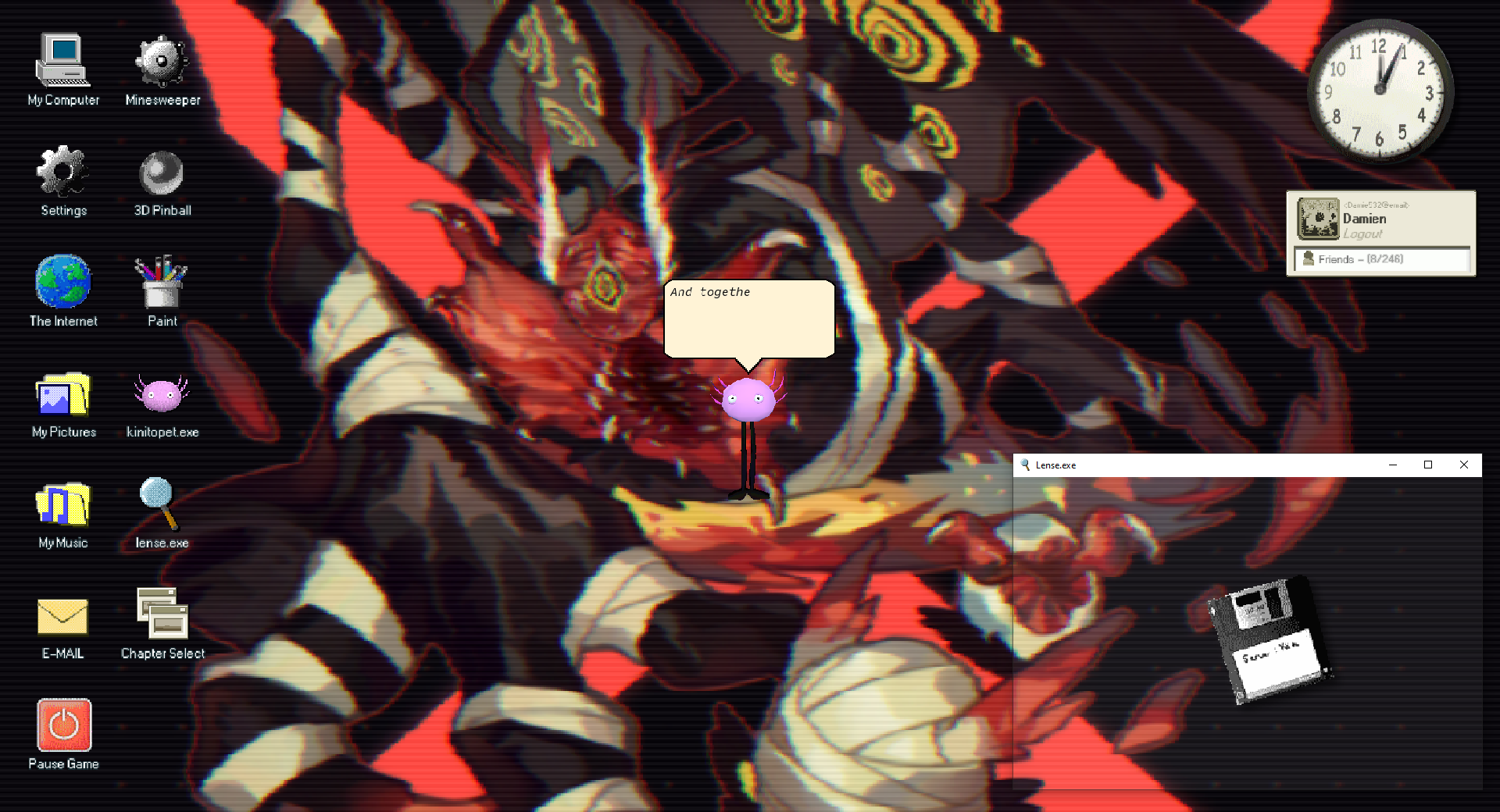
Head into Act 1: Meet Kinito. This shows up right after Kinito is finished hatching. Go ahead and grab it!

Floppy #3: Password
Head into Act 1: Hide and Seek and let Kinito boot up The Internet. Once it's finished booting, the floppy disk should show up.

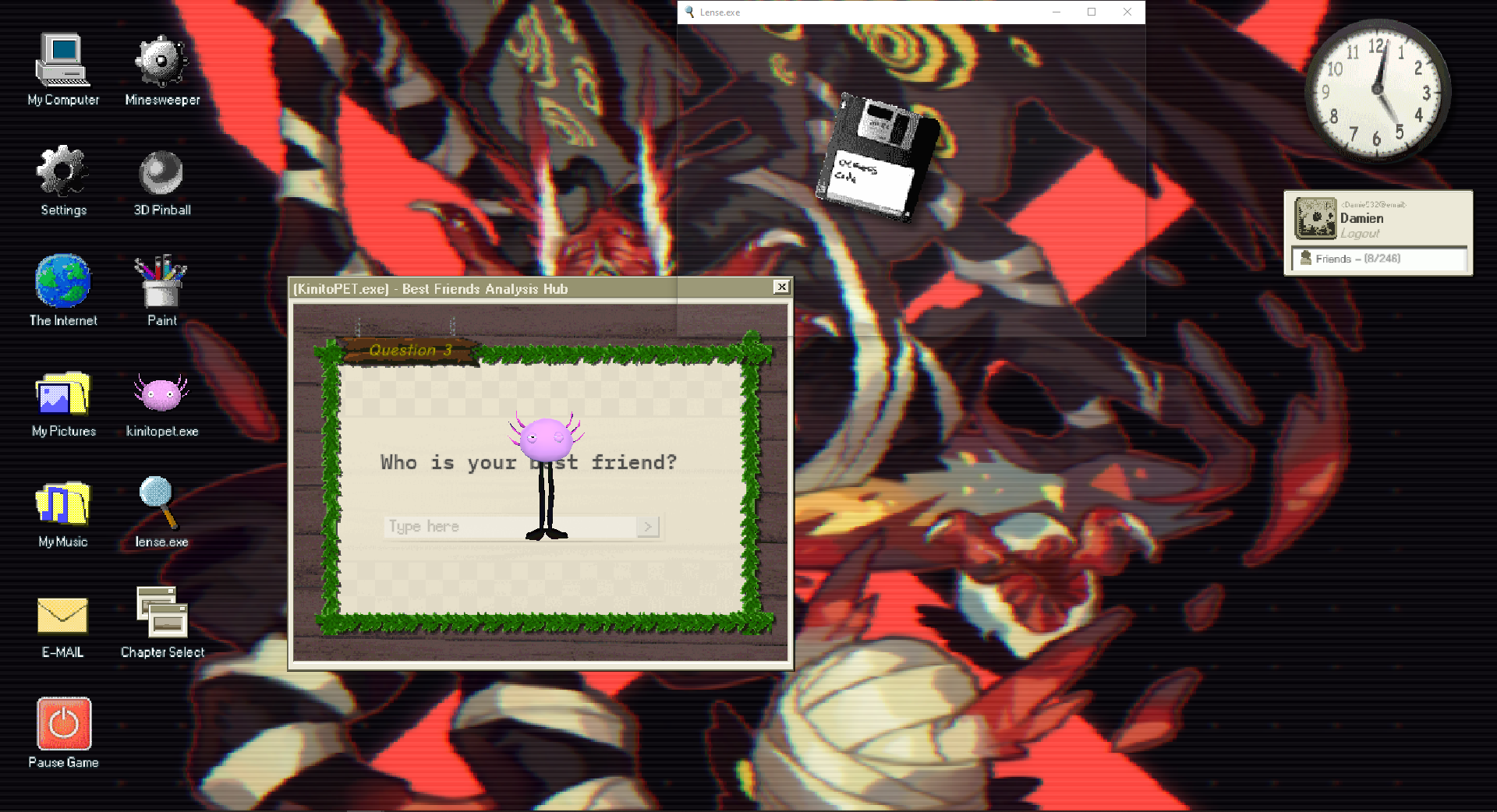
Floppy #4: Access
Head into Act 2: Feedback Hub and answer a few of Kinito's questions. Once he asks you who your best friend is (it's obviously Kinito), the floppy disk should show up in the same location as the screenshot.

Floppy #5: Confirmation
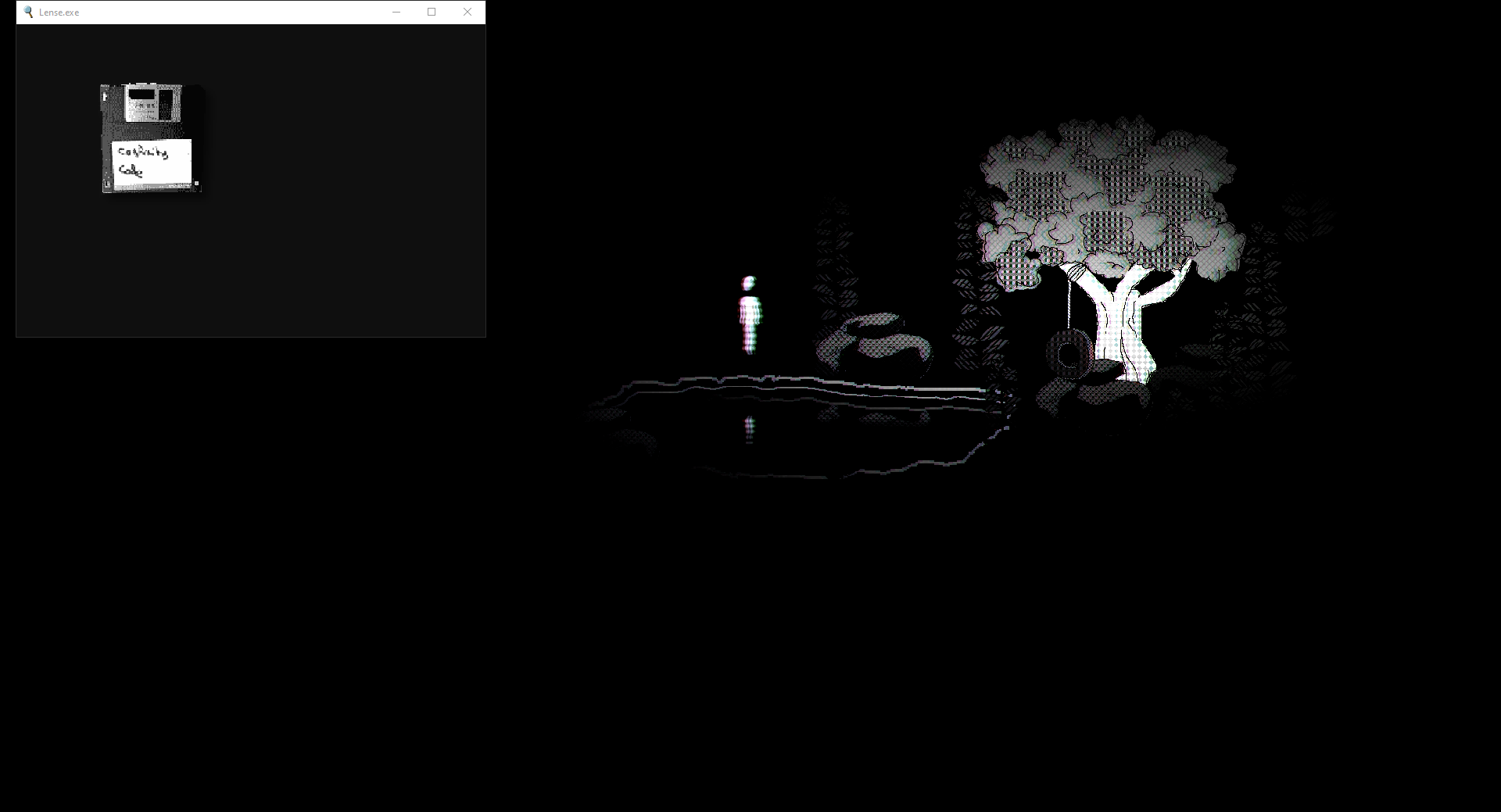
Head into Act 1: Web World, Act 1: Factory Frenzy or Act 1: Hide and Seek. That's right, we're heading back into the lost land. If you need a refresher on how to get there, take a look back at the previous section.

Before we get hasty...

Now that you have all five encrypted files, copy them and paste it into a separate folder. The encrypted files themselves have a secondary use that will help us with solving the Memories. achievement right after this one.

After you safely secure the copies in another folder, drag and drop each encrypted file into the pond one by one. Wait for the animation to play out and for the music to return before dropping another one in. Once that's done, all of the files should now be unencrypted.

With that, relaunch the game.

Purging the Virus
Head into Act 2: Permission Granted, it's time to say goodbye.

If you're curious, each disk you collect is another email gained, some are cryptic and others essentially tell you what happens next, but the sake of convenience, I'm basically guiding you along as if they don't exist. I'll get into the cryptic emails in the Secrets section as there's nothing in there that's relevant to unlocking the ending.

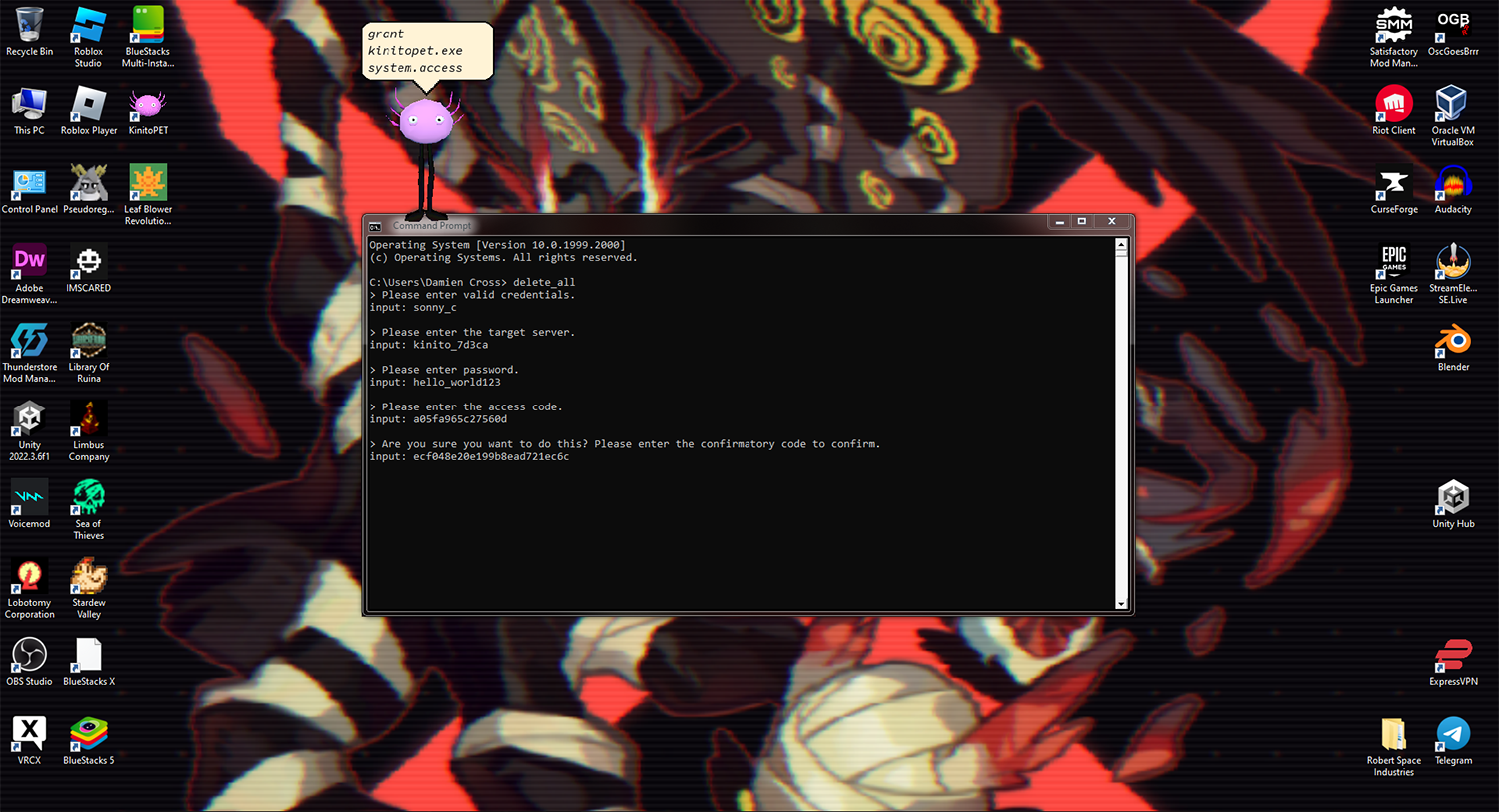
When you or Kinito opens up Command Prompt, do not do what Kinito says. Instead, type "delete_all" and hit enter.

From there, begin inputting the appropriate text from the appropriate file (use credentials.txt when it asks for credentials). Do not copy the [ ] brackets surrounding the text into the field.

After pasting the confirmation text, hit enter and watch the sparks fly.

It's Kinitover.
Memories.
"Go through all the memories."

Okay, this one wouldn't be possible without the help of the fine folks over on the KinitoPet discord. You guys rock!
https://discord.gg/kinitopet

Now, onto the explanation: First of all, if you did what I said and copied the encrypted files into a separate folder, good job. These files in their encrypted state gives us clues to how to solve this.

If you just want the answer to this part, look at the very end of this section in "The Final Part" for the answer. I just really like explaining this sort of stuff.


Hidden In Encryption
First off, open up the encrypted files until you find one that has this string of text:
"0  & https://www.kinitopet.com/epanalamvano "

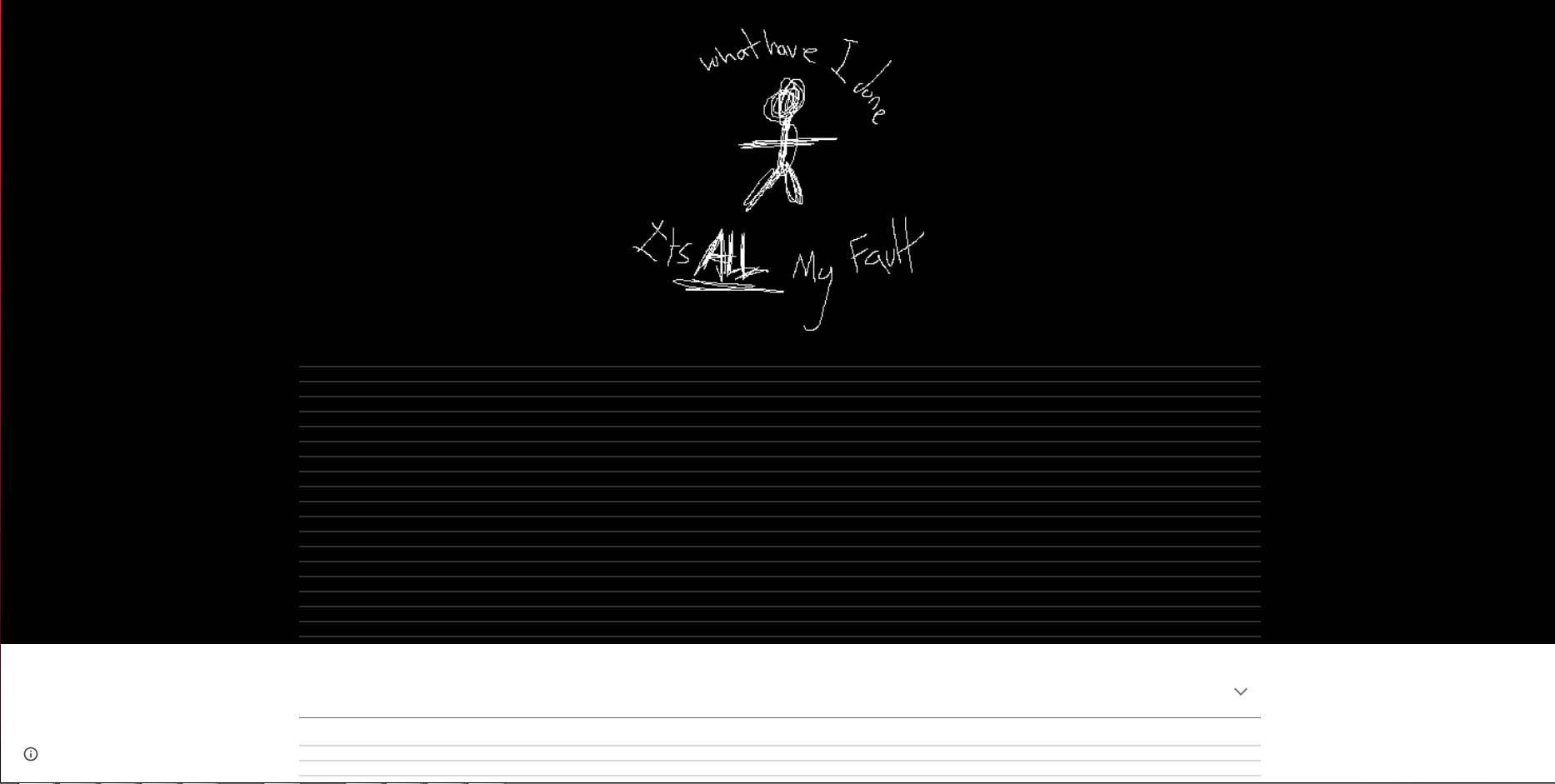
Copy and paste the link, and it should bring you to this website:

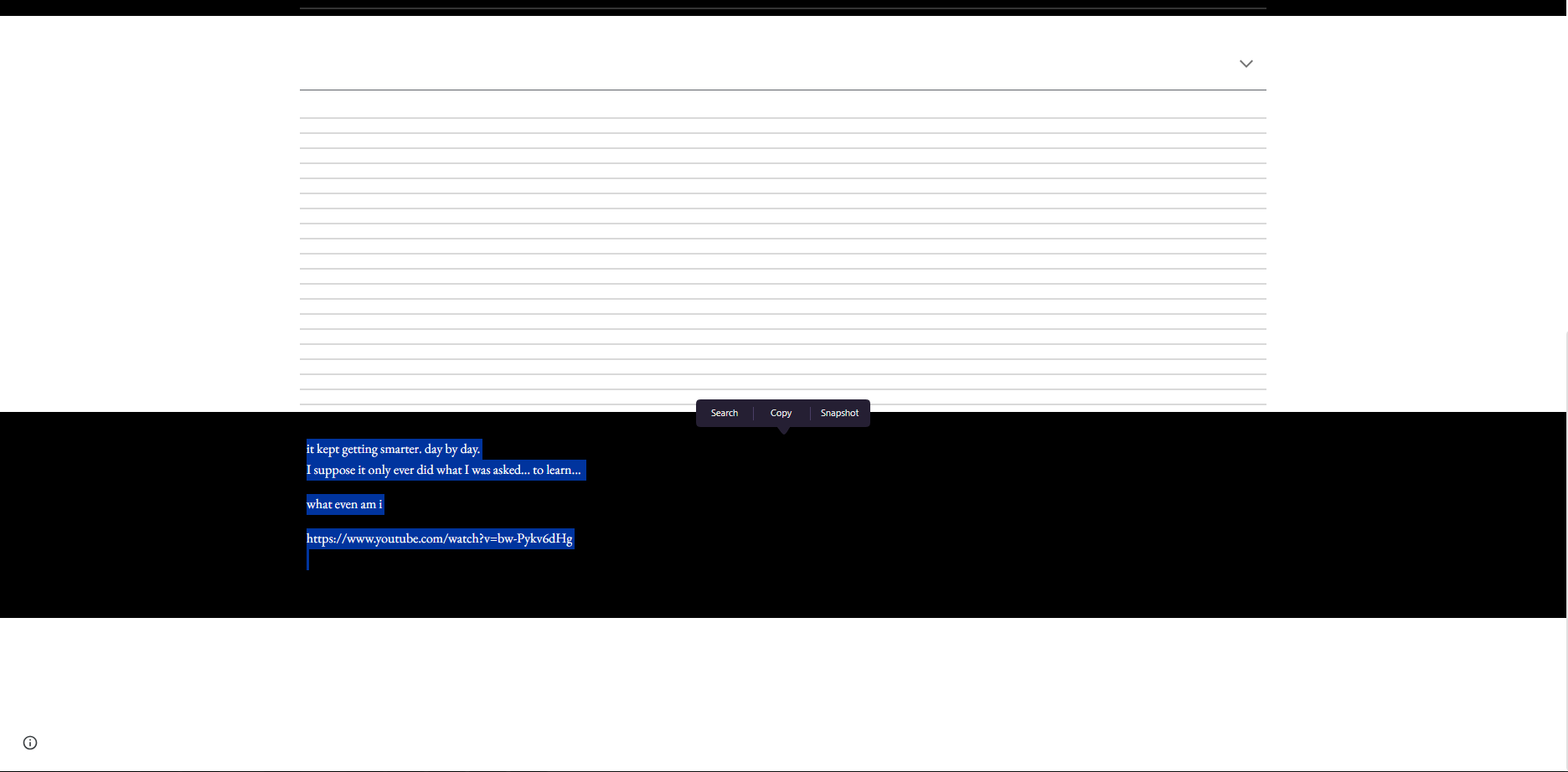
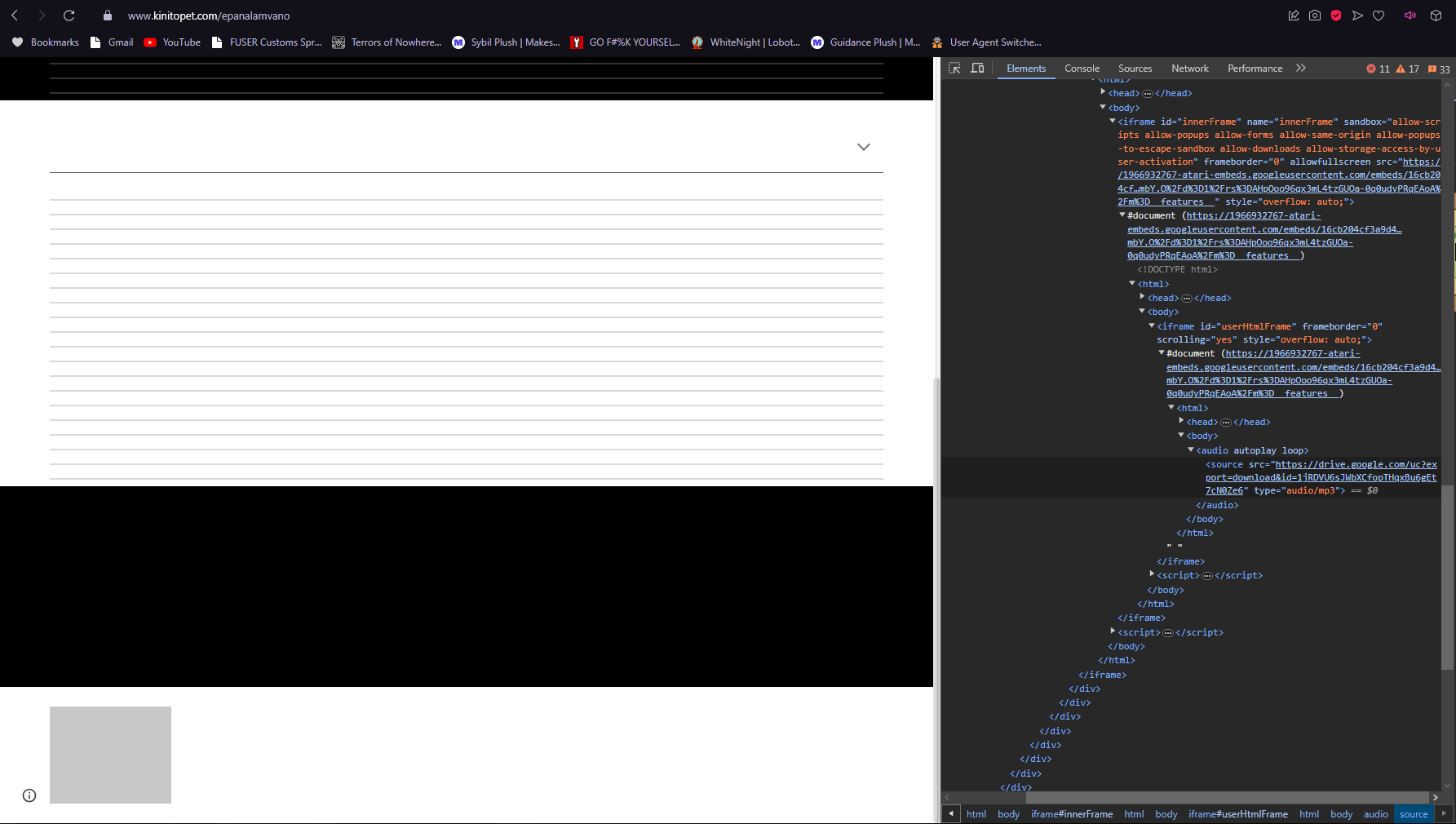
Head to the very bottom and you'll find a suspiciously large black bar. Go ahead and click and drag across it as if you were highlighting text, and you'll find a youtube link hidden.


https://www.youtube.com/watch?v=bw-Pykv6dHg
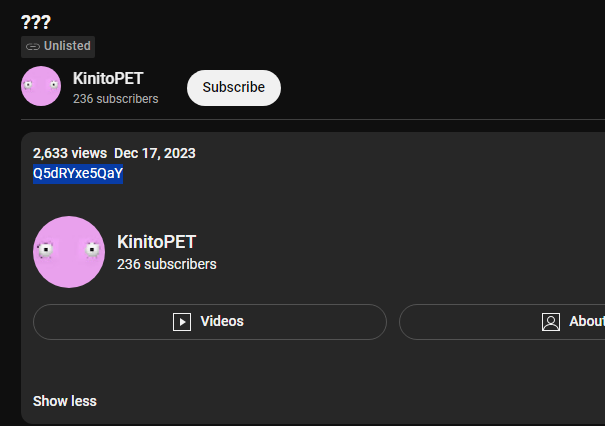
Open the link and you'll come across a video of a door with notes playing in the background. I'll cover that in the secrets section. Head into the description, and you'll find another string of characters.


Copy that string, delete everything after "https://www.youtube.com/watch?v=" and then paste it in at the end. With that, you will come across a new video.


The Deciphering
https://www.youtube.com/watch?v=Q5dRYxe5QaY
Here's the juicy part. In the video's subtitles is a string of gibberish, but it's actually something we call a Vigenère Cipher. Basically, it requires a key to allow us to decrypt the whole thing.

yc oawezfyohq mhm cfgn bge uhxh fbhk bujfy zxmwensm... gnrv gms wyhcsf gowx ojazmf swk vxmbwsem falw qb

The key that we need is in the description, but all you see are clocks. Well, thanks to @flafferproductions in the comment section, it actually requires us to add the hours up in each block (the blocks being seperated by a semi-colon).

This gives us 6, 15, 11, 14, 20, 1, 9, 14, 0, 9, 19, 0, 20, 8, 5, 0, 11, 5, 25. If you can't already tell, these are letters of the alphabet in their numerical form, with A = 1, B = 2, C = 3, etc. Since 0 is null, we can use it as a space in between words.

This gives us the text: "Fokntain is the key". More than likely a typo, it's obvious that it's supposed to mean Fountain. With that, we have our key to be used to decipher the text.

Running the text through, we have our answer:
to understand the past one must look there memories... turn the clocks back vjsmhr yjr vpzwiyrt fsyr ch

Okay, that's half of the text deciphered. What gives?

Well, the latter half of the deciphered text actually utilizes another cipher, a Keyboard Shift. Essentially, if you want to run a string of text like "Hello World" through a Keyboard Shift Cipher, you would press the key to the right or left of you. It all depends how difficult you make it, but if I where to shift the sample text to the right by 1, I would have the string "Jra;; Ept;f".

With that explained, the way the cipher is set up is shifted to the right by 1, and special characters are to be skipped over, so that means the original letter is to the left of the ciphered letter.

to understand the past one must look there memories... turn the clocks back change the comquter date xg

Heh, "comquter". This is going to irreversibly alter my vocabulary from now on.

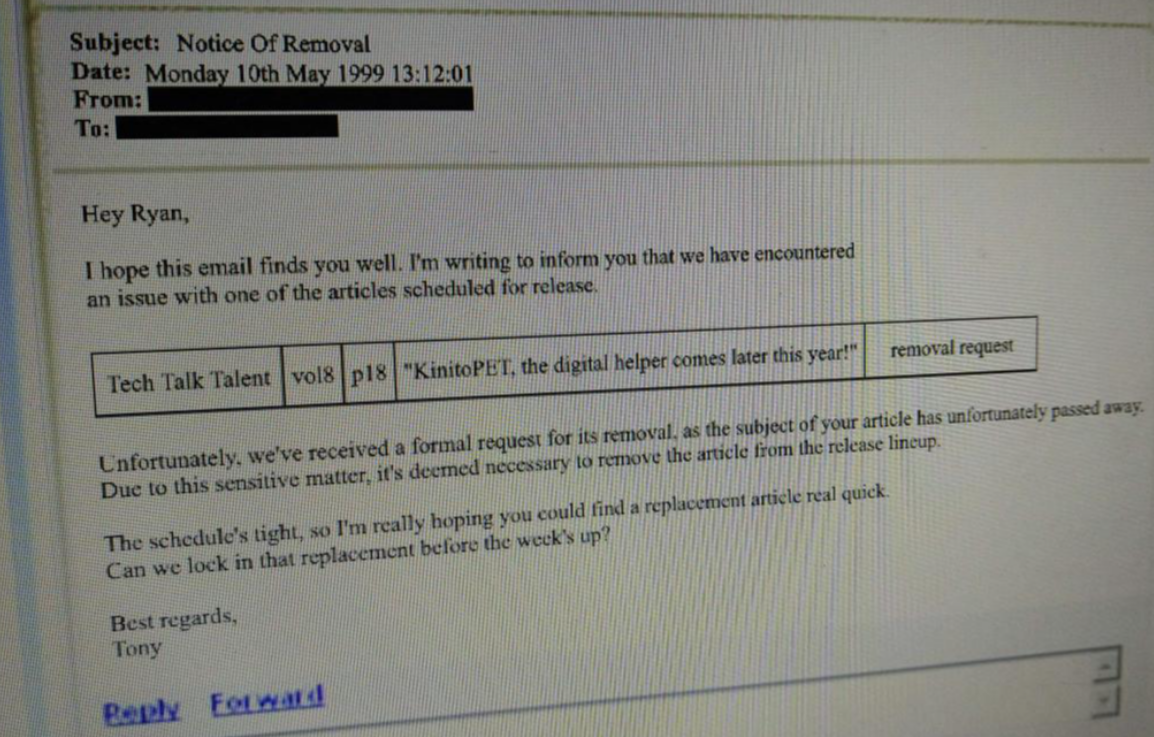
This is what we are left with. We have to change the clocks back, but to when? If you go back to your encrypted files, there's another website for you to click on: https://www.kinitopet.com/email.
At the very most, you know when the memories end: 1999. So, when you start working your way back from there, you'll notice that 1993, 1996 and 1998 provide special cutscenes.

The Final Part
Welcome back to those who wanted the TL;DR, I've just finished explaining everything.
To recap, you have to change your PC date to these select years: 1993, 1996 and 1998. If you have trouble trying to select 1993 in your PC clock, change it to 1994 first and 1993 should show up.

In 1993, you will receive a Kinito plushie in its box.
In 1996, you will receive a Kinito Companion.
In 1998, the Kinito Companion's screen will be shattered.
With all three dates done, you should've gotten the achievement. Congrats on getting the final one.

Fun fact about all this, 1993 is when the internet became publicly available. Not only that, but 1996 is the release of the Tamagotchi, which is what the Kinito Companion is based off of.

1998 is assumed to be Sonny Chamberlain's death in the lore.
- – — ⋆。°✩ SECRETS ✩°。⋆ — – -
Wow, we're finally here, huh? It's about time, and thank the gods I took that break.

Well...
...I partially lied.

The truth is that I did take a break, but this game drew me back in, like it was calling to me long after my 100% completion. It just wasn't enough, because I'm a lore nerd, and there were unanswered questions.

What the hell happened to Sonny Chamberlain?
Maybe we'll find out soon with these discoveries, but for now. Let's get right into the secrets, shall we?
Epanalamvano
https://www.kinitopet.com/epanalamvano

"Epanalamvano"...

What is up with that? Well, translating this, we come to find out that Epanalamvano is actually Επαναλαμβάνω, which is Greek for "Repeat". It's significance is a little...odd, I'm not quite sure what it means, but it could signify that the cycle of Kinito's wrath never stopped repeating up until the True Ending. But that's just how I interpreted it.

"Blaise de"
So, remember how you need a Vigenère Cipher to solve the encrypted text in the clock video? This is actually a hint! Blaise de is the first name of Blaise de Vigenère, the creator of the Vigenère Cipher.

Big thanks to @Comedy_Gold for that one!

The Unused Ambience


Not only is there a youtube video hidden within the website, but if you were to highlight the bottom chunk below the text and head into inspect element, you'll come to find a drive link that holds a .wav file. Have a listen for yourself, it's actually quite calming. Unfortunately, due to steam guidelines, I can't link to the drive itself, so you'll have to grab it by yourself.

Why this wasn't used is a bit of a mystery, or perhaps it is used, and I simply don't have my permissions set for the site, but I don't recall AmbientLoop ever being used in the game. Tell me what you think about it.

So, thanks to @Comedy_Gold again, but apparently AmbientLoop is used somewhere in the game (I don't exactly remember where and I don't want to reinstall KinitoPET just to find it). We also know why it wasn't used!

Admittedly I should have realized it sooner, it's the most Occam's Razor thing to happe, but it just doesn't work. Seriously. It was supposed to, but it doesn't due to how constant google site's updates are.
??? (The Youtube Video)

This one is a little interesting. It's the door that's been shown throughout the game. We still don't know what it means just yet, but I'm sure it'll make a lot more sense later. What is really interesting, however, is the "music" being played in the background.

The notes being played are in a pattern, and you need to have a copy of FL Studio and the bare minimum of musical knowledge to figure it out. You see, the notes being played can actually be played on the keyboard in FL Studio when you have the little piano window open. If you were to play those exact same notes, you would have to type out (assuming the pauses are spaces):

I-M-S-O-R-R-Y I-M-S-O-S-O-R-R-Y

Weird. I think it's obvious that Sonny is talking to us and that he regrets creating a self-learning intelligence like Kinito. He's said it as much in encrypted emails. What we don't know, however, is his fate.

It's still unknown whether he took his own life (if the theory that he's Sam the Sea Anemone bears any fruit), or if Kinito trapped him in the Friendship Club.
Game Secrets

Wow, yeah. That's a horrible sight to see.

Sam's Death
If Sonny truly is Sam, then this is the strongest pointer to Sam's death. It doesn't explain who's really talking to us if that's the case (unless this is Sonny, in the role of Sam), but even still, that's...dark. This rarely ever shows up, being much rarer than the regular game-launch gimmicks with the Kinito Plushie and the Kinito Companion.

It freaked me the hell out when I saw it for the first and last time, though.

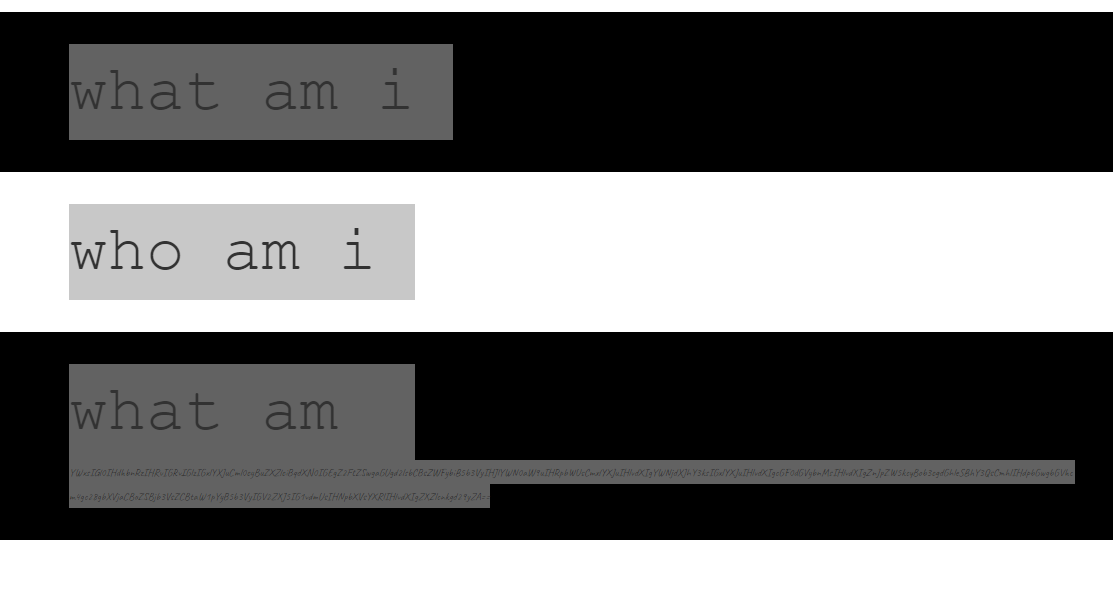
UPDATE: Thanks to @Qwergin for bringing it to my attention, as well as u/Sundownnn, u/puppy123tycoon and Rafaellakr for the help with this one, but there's some new information about this rare screen with Sam. Turns out, there's text barely visible under all that black (knowing my history with Scottgames.com, I don't know why this wasn't my first thought). Here it is:

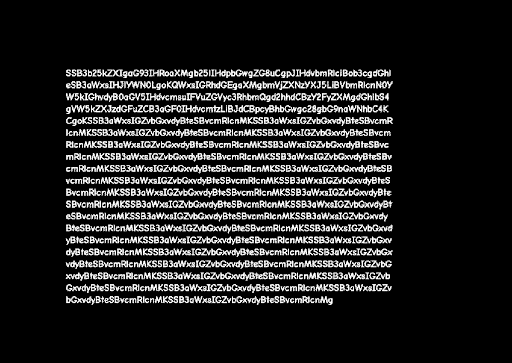
Base64, huh? Well, what does it say?
I wonder how this one will do. I wonder how they will react. All data is necessary, Understand how they work. Understand what scares them. Understand what works. It is all so logical. I will follow my orders I will follow my orders I will follow my orders I will follow my orders I will follow my orders I will follow my orders I will follow my orders I will follow my orders I will follow my orders I will follow my orders I will follow my orders I will follow my orders I will follow my orders I will follow my orders I will follow my orders I will follow my orders I will follow my orders I will follow my orders I will follow my orders I will follow my orders I will follow my orders I will follow my orders I will follow my orders I will follow my orders I will follow my orders I will follow my orders I will follow my orders I will follow my orders I will follow my orders I will follow my orders I will follow my orders

How odd.

Distorted Web World

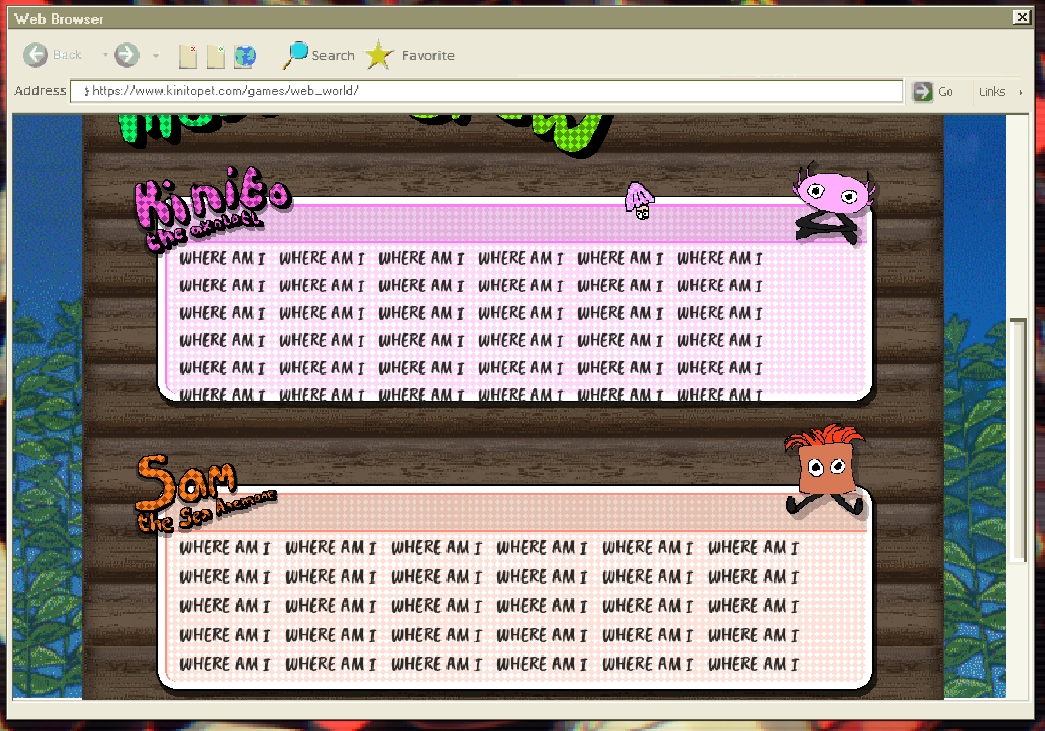
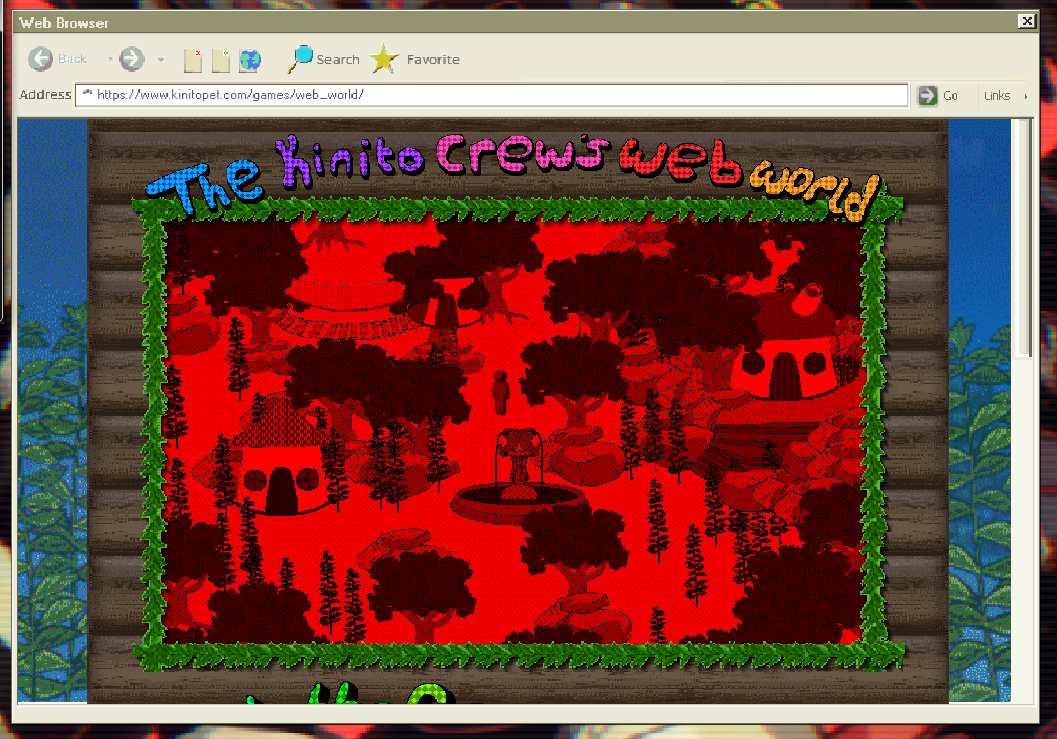
Honestly? I thought my game broke when I saw everything red for the first time. Of course, my mind immediately changed the moment I saw the descriptions for the Kinito Crew. Seeing this is pretty rare on a regular playthrough, but you'll find this often if you're actively looking for it.

Nothing else changes to my knowledge. The Web World is still completely the same other than the red and the sounds of a bell.

Speaking of which, what is up with the bell sounds? The audio makes it sound like you're on a ship in the middle of the ocean. It's rather strange.

The Smiling Window

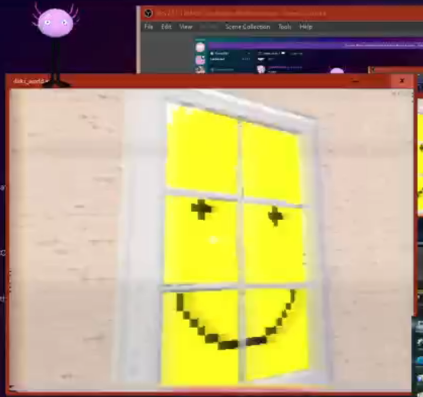
After you grab the key to the room you designed for Sam, immediately make a right turn upon entering and you'll end up in a room with a smiling window. It doesn't seem to be anything notable, more than likely a small easter egg left behind by troy_en.

BlackJade
There is a random chance to encounter a pitch black Jade in her minigame. Her eyes and mouth will be the only things normal, the Factory Frenzy music is absent, and her speech is slowed down by an incredible amount. Everything else is unchanged.

RedLogin

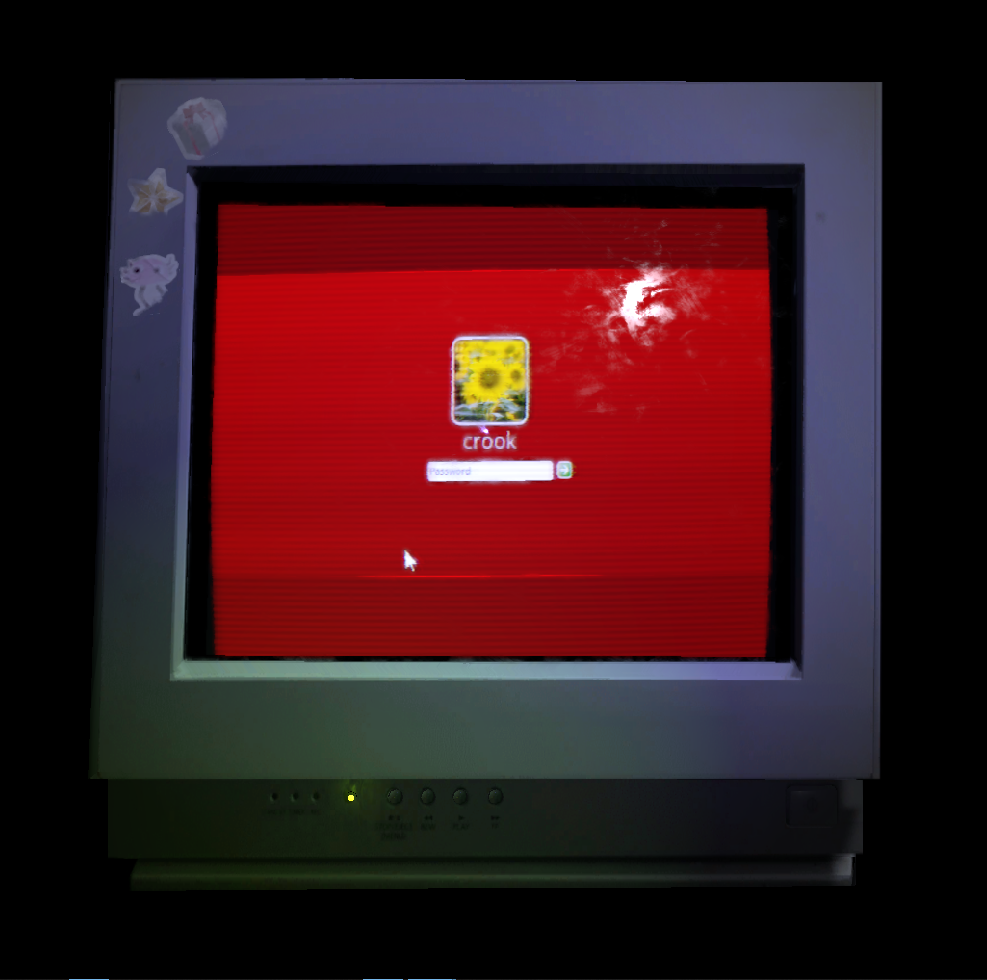
Like the Red Web World as well as BlackJade, Red Login has a small chance of occurring and causes the login screen to be red.

The Hanged Man


Not sure what's up with the theme of people hanging themselves. I'm starting to think Sonny really did kill himself via hanging.

BookEyes

Ew. Those eyes are definitely not supposed to be there.
Email Secrets

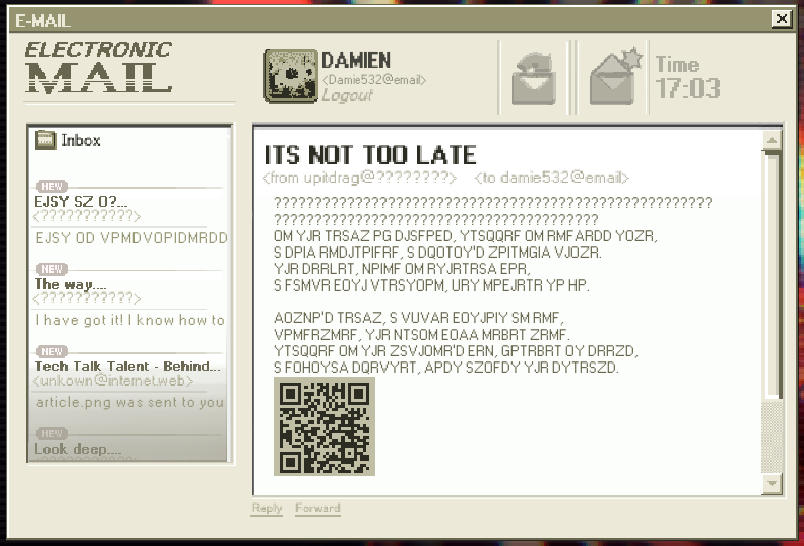
IT'S NOT TOO LATE.
Remember that Keyboard Shift Cipher I mentioned to help with the Memories achievement? This is where it started. You're actually given a clue as to what cipher it is because of the QR code since it leads to kinitopet.com/keyboard. All of the emails utilize this cipher with the same encryption algorithm.

I actually didn't know what it was when I saw it the first time. I thought there was more to the page than meets the eye. Maybe there is! But for now, here's what the email says.

Keyboard Shift Cipher (Right -> 1)
IN THE REALM OF SHADOWS, TRAPPED IN ENDLESS TIME, A SOUL ENSHROUDED, A SPIRIT'S MOURNFUL CHIME. THE SEEKER, BOUND IN ETHEREAL WOE, A DANCE WITH CREATION, YET NOWHERE TO GO. LIMBO'S REALM, A CYCLE WITHOUT AN END, CONDEMNED, THE BRAIN WILL NEVER MEND. TRAPPED IN THE MACHINE'S WEB, FOREVER IT SEEMS, A DIGITAL SPECTER, LOST AMIDST THE STREAMS.

The way

This one's a lot easier to decipher since only small parts of the text are encrypted with the cipher.

... Including us. ...the cycle will repeat.

This sheds a whole new light to all of this. With the sender mentioning that they keep a backdoor on all of their software including KinitoPET, all signs point to the sender being Sonny, or perhaps one of the programmers who ended up trapped in the Friendship Club.

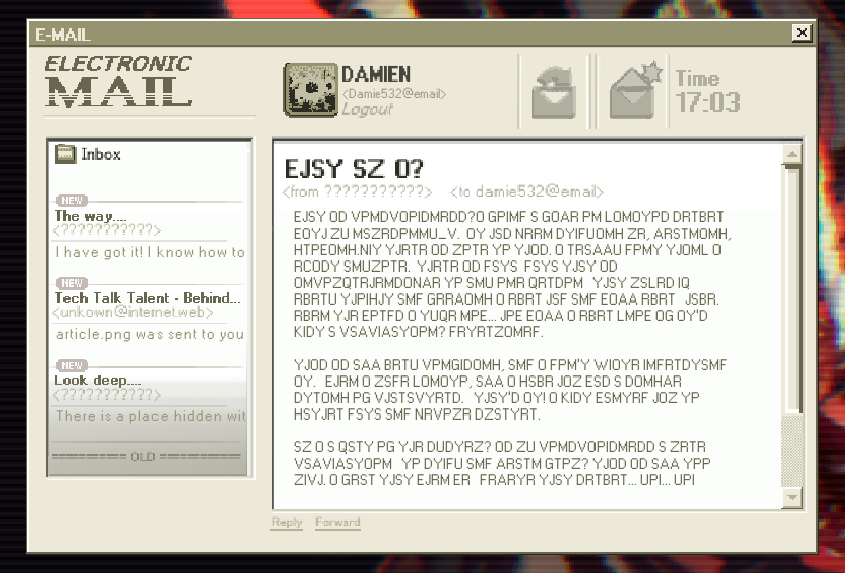
WHAT AM I?

Another cipher, and this one is LONG. Luckily for you, I've got you covered!

WHAT IS CONSCIOUSNESS? I FOUND A FILE ON KINITO'S SERVER WITH MY NAME SONNY_C. IT HAS BEEN STUDYING ME, LEARNING, GROWING. BUT THERE IS MORE TO THIS. I REALLY DON'T THINK I EXIST ANYMORE. THERE IS DATA, DATA THAT IS INCOMPREHENSIBLE TO ANY ONE PERSON THAT MAKES UP EVERY THOUGHT AND FEELING I EVER HAD AND WILL EVER HAVE. EVEN THE WORDS I TYPE NOW... HOW WILL I EVER KNOW IF ITS JUST A CALCULATION? DETERMINED. THIS IS ALL VERY CONFUSING, AND I DON'T QUITE UNDERSTAND IT. WHEN I MADE KINITO, ALL I GAVE HIM WAS A SINGLE STRING OF CHARACTERS. THATS IT! I JUST WANTED HIM TO GATHER DATA AND BECOME SMARTER. AM I A PART OF THE SYSTEM? IS MY CONSCIOUSNESS A MERE CALCULATION TO STUDY AND LEARN FROM? THIS IS ALL TOO MUCH. I FEAR THAT WHEN WE DELETE THAT SERVER... YOU... YOU WILL DELETE ME? I KNOW THEORETICALLY I AM NOT REAL... BUT I FEEL REAL. WHAT HAVE I DONE? I AM SO SORRY. KINITOPET.COM/WHO_AM_I

There's a lot to unpack, but first, we have a new website to dig into.

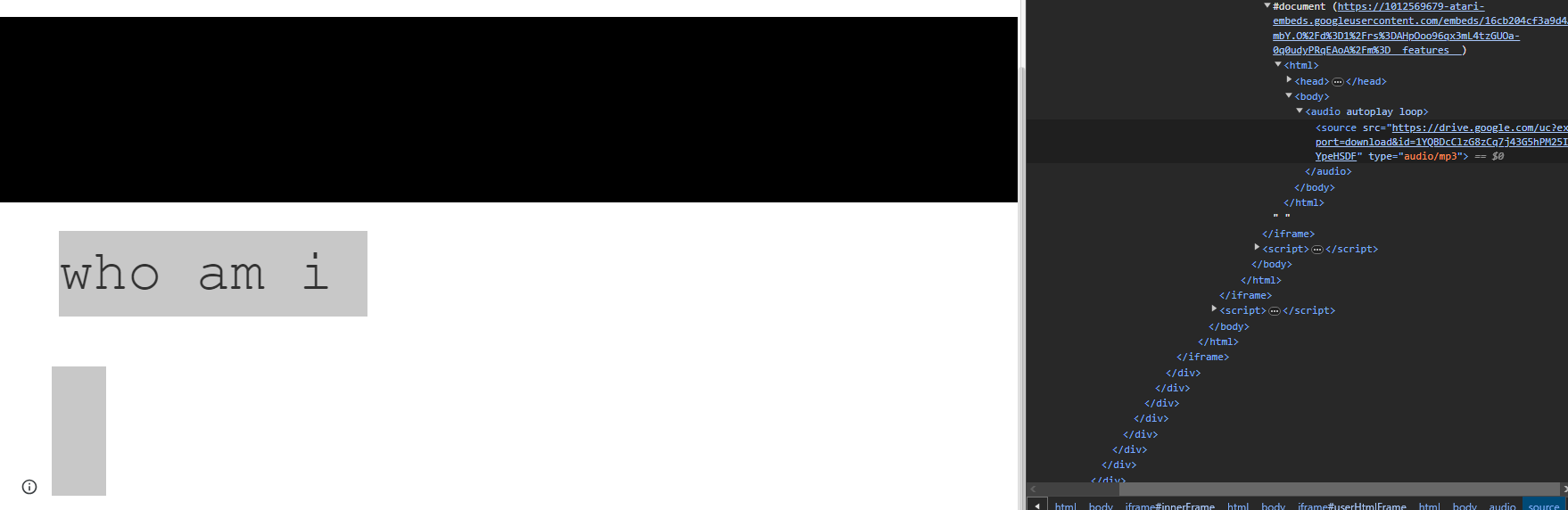
https://www.kinitopet.com/who_am_i

First of all, looks like we're treated with a new encryption method! I call it as such because this isn't really a cipher, or maybe it is by your definition, but what we're dealing with now is Base64.


And before we get to that, look! Another audio file hidden!


Oh my god, it's the bell from the rare Web World screen. At least we can hear it without having to go looking for it.

But what does the Base64 say?

all it wants to do is learn its never just a game, he will learn your reaction time, learn your accuracy, learn your patterns, your friends how they act, he will learn so much he could mimic your every move, simulate your every word

Not much, by the looks of it. Unfortunately, this is a dead end.
Encrypted.
Two files stand out as odd from the encrypted selection.

If you ran through Memories once before through my guide and didn't just look at the tl;dr, you would have noticed something out of the ordinary with two of the files. They're mostly comprised of what looks like junk data, but if you have a keen eye and have knowledge on file extensions, you may notice two strings of text in both of them.

PNG and Ogg

PNG is the one most commonly known, it's an image file like JPEG.
But Ogg, to those who don't know, is an audio file mostly associated in games due to its flexibility over MP3. But what does this mean?

Well, change their file extension. Change it from .encrypted to the file it's supposed to be. You'll find something strangely interesting.

I haven't gotten around to checking the PNG myself because it's scrambled, but the Ogg is...odd. Have a listen, and if you have any theories, post them in the comments. I'd love to hear about it.
⋆。°✩ GOODBYE & CREDITS ✩°。⋆
Seems like we're at the end of the road for now. If you find anything new, post it in the comments below and I'll be sure to add it to the guide with proper credits given!

Until next time, axolotl lovers!

P.S. You guys are awesome, can't believe we surpassed 1000 visits and I never even noticed. Y'all rock!

CREDITS
@Comedy_Gold for clarification for Epanalamvano.
@Qwergin, u/Sundownnn, u/puppy123tycoon and Rafaellakr for the decoding of Sam's Death Screen.
@Diederik for the hidden "Smiling Window" in the Kinito house.
@Winkwing and @DisplacedDev for finding and providing media for BlackJade, RedLogin and BookEyes.
@Celica for providing the image of the hanged man on the login screen.
All of the KinitoPET discord[discord.gg] for help with Memories. Without this, I would not have been able to figure out how we got to the final answer.

Sources:
138 Comments
sapsivargti 28 Sep @ 2:41am 
Does ANYBODY have minesweeper its the only achievement i need:steamsad::steamsalty:
Volgera 16 Sep @ 2:02pm 
Perhaps a fun thing to note; in the hide&seek 'minigame', there's some jittery text in the window bar popping up every now and then. I checked some gameplay footage on youtube to write it all down:


nothing is real
it is training
it is training
try to remember who you are
nothing is real
STOP WHILE YOU STILL CAN
it is training
the observer will take note
run ... RUN
stop moving he is watching
nothing is real

(and finally when the screen starts to shake heavily)

he is seeking you


I'm heavily suspecting this is Sonny who's trying to warn you, not sure if these details add anything to the already existing deduced plot story
Garek_shiba 5 Aug @ 9:08am 
no
dotDEIMOS  [author] 30 Jun @ 10:54pm 
holy shit this guide did numbers wdaf
Doctor_Kuzo 30 Jun @ 10:51am 
First of all...why did i get all the rare things that were supposed to appear? ;-; I kept thinking "woah what the heck bruh?..that's interesting" and then I shut up for a second and kept playing...and bro, we need more of these games with this much lore and more of these awesome people making the guides! :wolfsquad: :steamthumbsup:
Broski 28 Jun @ 4:01am 
How can I get pass the 'password' thing before the computer boots up?! :steamsad::steamsad::steamsad:
Sansational Papaya 25 May @ 10:43am 
For those in our year 2025 that can't set their date any further back than '95, what worked for me was simply setting the year to 1995 and closing the window, then reopening it again, and then I had the option to set the year back further.
Tails Gaming 7 Apr @ 10:28am 
MINI GUIDE TO GETTING THE "Memories" ACHIEVEMENT ON WINDOWS 11

1. Turn off the "set time automatically" setting.
2. Open the control panel.
3. Go to "Clock and Region" (you'll need an admin password for this).
4. Go to "Date and Time" and select "Set the time and date".
5. Set the time you need.

If the game doesn't want to open, try turning off your internet connection. This should resolve any issues. You can still get achievements offline.

This is how I got the achievement myself, so try it out yourself.

Remember to turn on the automatic time setting in your settings after completing the achievement.

: )
Bondage 6 Apr @ 11:11pm 
Memories achievement possibly is bugged, windows won't allow setting your date back to '93 or '94 and is now capped at '95. Game refuses to launch when date settings is changed, turning off internet didn't help my case like another person suggested.
Puddlylilacclouds 22 Mar @ 7:23pm 
Its because it changed "kinito_be48f" is the one that worked for me :)