Arcadecraft

Arcadecraft

35 ratings
Running a profitable arcade: Guide, tips and basics
By I2epresent
Learn how to get your arcade up and running and making an immediate profit with this guide to Arcadecraft. The guide also includes hints and tips for beginners, intermediate players and even experts. While the focus of this guide is primarily on making as much profit as possible, it also details in-game events such as export vendors, classics, and how to avoid the dreaded nerd-ragers from damaging your machines and cutting into your profits.

This guide is written by Atum Hadu, who played this game in its original form on XBLA, and continues to play on the PC version of the game. If you have anything to add, please drop me a line on my Steam profile and let me know. Cheers!
   
Award
Favorite
Favorited
Unfavorite
Introduction
Having trouble getting your arcade off the ground? Can't seem to make your rent payments or pay back your bank loan at the end of 1981? Frustrated by slow profits?

This guide will help you design an extremely profitable arcade from the very first month of simulated gameplay in 1980. With a little practice and patience, you'll be able to create a five-star arcade with a 20-machine capacity by August or September of 1980, putting everything in place for you to earn maximum profits as you progress through the simulation.
The Early Game: Buying your first cabinets and turning a profit
It's January of 1980, and as soon as you name your arcade, you're up and running. You'll notice your arcade is completely empty, so first thing's first -- you need to buy games for your customers to play.

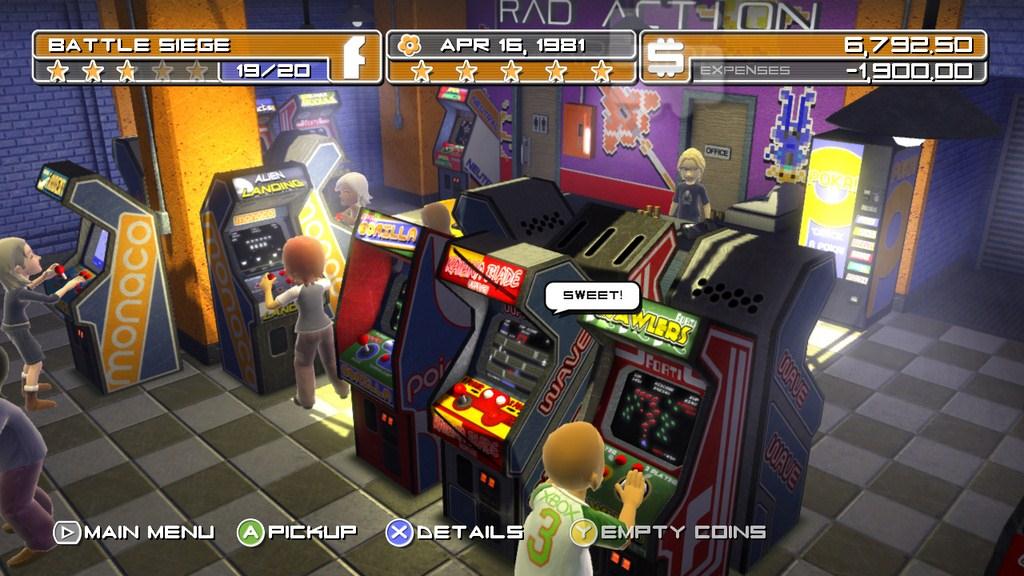
Initially, four games are available: Alien Landing, Space Rocks, Lunar Module, and Quarterback Sack. Buy all four games and place them in a square back-to-back so that none of the machines has its back exposed. (This is important because Arcadecraft docks arcade popularity points if you've got a messy arcade, particularly if the rear of the machines are exposed.)


Place all four games down ASAP, then immediately purchase a soda machine. (Pokai) Set the soda machine down, highlight it, and press tab. You're now in the edit screen, where several options are available to you. For now, you should only be concerned with one option -- changing the price per soda to $1 apiece. Set the price, and exit.

You will get a pop-up warning from your book keeper reminding you that you must make rent at the end of the month. Ignore this message. You'll make enough by month's end to pay your rent, along with at least $1,500 profit.

For the rest of the month, watch your arcade closely, but take a hands-off approach. Resist the temptation to empty the coin slots on your machines, because customers cannot play a cabinet while you're emptying coins.

  • Your cabinets have a $500 capacity. You can wait until they hit the $500 mark, or start emptying the machines when they reach $400 so that you aren't hit all at once with several machines at capacity. While a machine is full, customers cannot play that cabinet until you empty it.

  • Keep an eye out for a flashing yellow tile -- those tiles appear randomly in your arcade, and cabinets placed on those tiles enjoy a boost in popularity, which leads to more customers pumping coins into them. It's a solid earnings boost, especially early in the game. Listen for the distinctive audio cue and drop a cab there quick, because the bonus tile will fade if you don't take advantage.

  • Remember to hold down the spacebar when emptying your machines. Many new players get stuck because they mistakenly believe one tap is all it takes to empty the coin slot. When you hold down the spacebar, the selected cabinet will lean forward at an angle to show it's being emptied. Once it's completely empty, you'll hear an audio cue, then the cabinet will shake and move back upright.
Nerd Ragers: Keep them from breaking your games!
As Arcadecraft reminds us, nerd raging has been a thing since the advent of video games, and it's not limited to WoW players going ballistic over losing a loot roll.

Like the frustrated gamers of yesteryear, Arcadecraft's baddies will appear randomly in your arcade and will begin whaling on your machines. You'll hear a distinctive audio cue of someone pounding on a cabinet, and the nerd rager will be marked so you can quickly pick them out of a crowd.

It's crucial to remove the nerd ragers immediately, especially in the early game. Drop everything and throw the nerd ragers out of your arcade ASAP. You can pick them up just like you pick up a cabinet -- then toss them by dropping them off in the red-marked area by your front door.

If you ignore the nerd ragers and allow them to wreak havoc on your arcade, they will damage one cabinet, then move on to another, and another, until half your machines have red icons above them, signalling that they're broken.


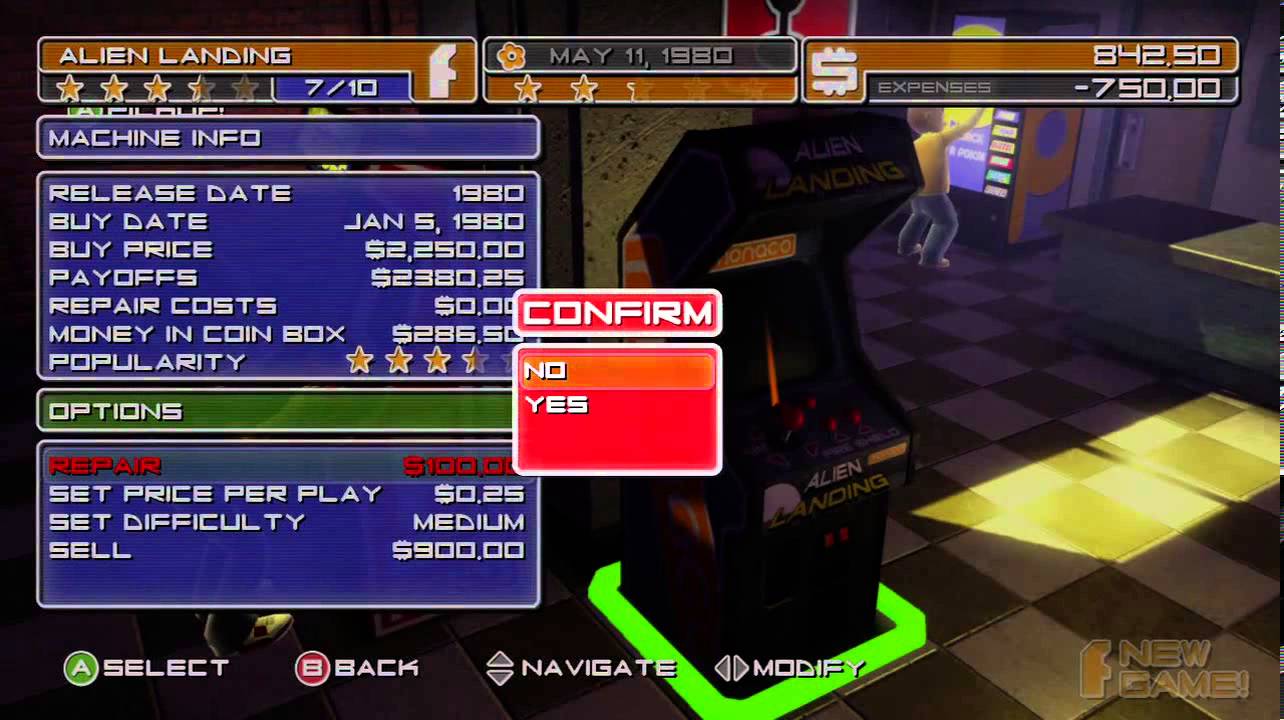
Broken games can't be played, which means you're not earning money from those machines, and it costs money to repair them. Repairs range from $100 to replace a joystick, to $400 to replace a broken monitor. Highlight a cab and press TAB to bring up the options screen, which will give you an option to fix that cabinet.

The repair costs might not seem like much, but they can add up to potentially $1,000 or more. In the early game, a $400 repair bill can be the difference between you being able to afford a new cabinet the next month, so always be on the look-out for the ragers.

TIP: If you're already moving a cabinet when a nerd rager appears, you can stop them immediately by literally dropping the cabinet on top of them. Sometimes this is preferable -- and a lot quicker -- than picking the ragers up and tossing them out of your arcade.
February 1980: Your second month
By the end of January, with four cabinets and a soda machine set at $1 per soda, you will have profit left over after rent, as much as $1,500 if you're lucky. You will be able to purchase your fifth cabinet by early February. It's feasible to get that fifth cab down by the 5th or 6th of the month.

Again, ignore the message about rent -- you will make the money back.

By your second month, you'll notice the 5-star popularity indicator at the top of the screen is beginning to wane, down to 4 1/2 stars, then 4 stars and so on. That popularity indicator takes into account several variables -- how many cabinets you have, whether your arcade has any decorations (like neon lights and wall graphics), whether the backs of any machines are exposed, and most importantly, the variety of cabinets in your arcade.


Variety is the big one, because it has the greatest impact, especially in the early game. The more variety in your games (shooters, puzzles, maze, sports, pinball, racing, etc), the higher your arcade's popularity. Always go with variety when given the choice.

Arcadecraft randomizes the cabinets available to you after the first month, so you might get a different cabinet offered to you in February during different playthroughs. Pay attention to genre -- if you can pick up a maze or a racing game, go for it.

Just as in January, in February you will earn enough money to pay your rent, plus a tidy profit to buy a sixth cabinet in March.
March and Beyond: Preparing for your arcade's first summer
What's so special about summer in Arcadecraft's year-by-year simulations?

For one thing, the game will inform you when the school year ends and kids are out of school, which means big business and profits for you. If you've taken care to pick several genres of games and keep your arcade growing, you'll see a rush of new customers and the coin slots of your most popular cabinets will fill much quicker.

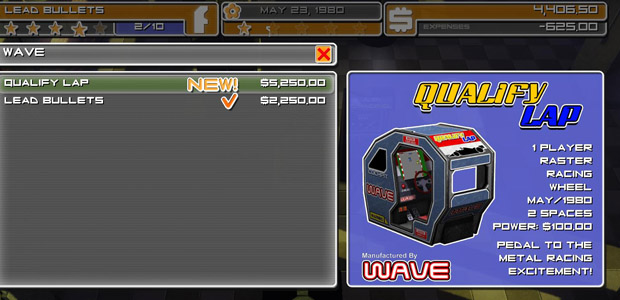
Summer is also the time for unique import games that can't be purchased from the regular game menu. In June, July or August, a special vendor will come into your arcade and offer you a Japanese import arcade machine. These imports are sit-down machines that add genre variety to your arcade (which adds to your popularity score) and they cost $2,500 each. It's a good idea to have the money on hand to get one, so for best results try to have the extra $2,500 for when the vendor shows up.


You'll only get one shot to buy each of the import machines. To make sure you've got the extra cash on hand, continue to play aggressively and purchase at least one new cabinet every month.

In March, just like in January and February, you'll pick up a new cabinet. In one of the following months, you'll see the game offer you a choice of two different cabinets during the same month. As always, try to grab cabinets in genres you don't have yet, and keep an eye out for the big-time franchises of the 1980s -- while those cabinets are more expensive, typically costing $2,700 or so compared to the $2,250 of most new cabs in the early game, they also yield more popularity and earn more money for your arcade.

Franchise games are easy to spot, and while the names might not look familiar to you at first, the themes and graphics will. Some examples are:

  • Phantom and Lady Phantom are Pac Man and Mrs. Pac Man, respectively
  • Gorilla and its two sequels are Donkey Kong
  • Contractor Bros. is Mario Bros.

If you can pick up a franchise game, give it a prominent spot as a centerpiece in your main cabinet row, preferably facing the entrance and front windows to draw more players in. As you progress through May and June, you'll find yourself making enough money to buy two cabinets in a month -- but keep in mind you'll still need the $2,500 in hand if you want to add an import cabinet to your arcade.
Pro Gamers: "I Love the Power Glove. It's soooo bad!"
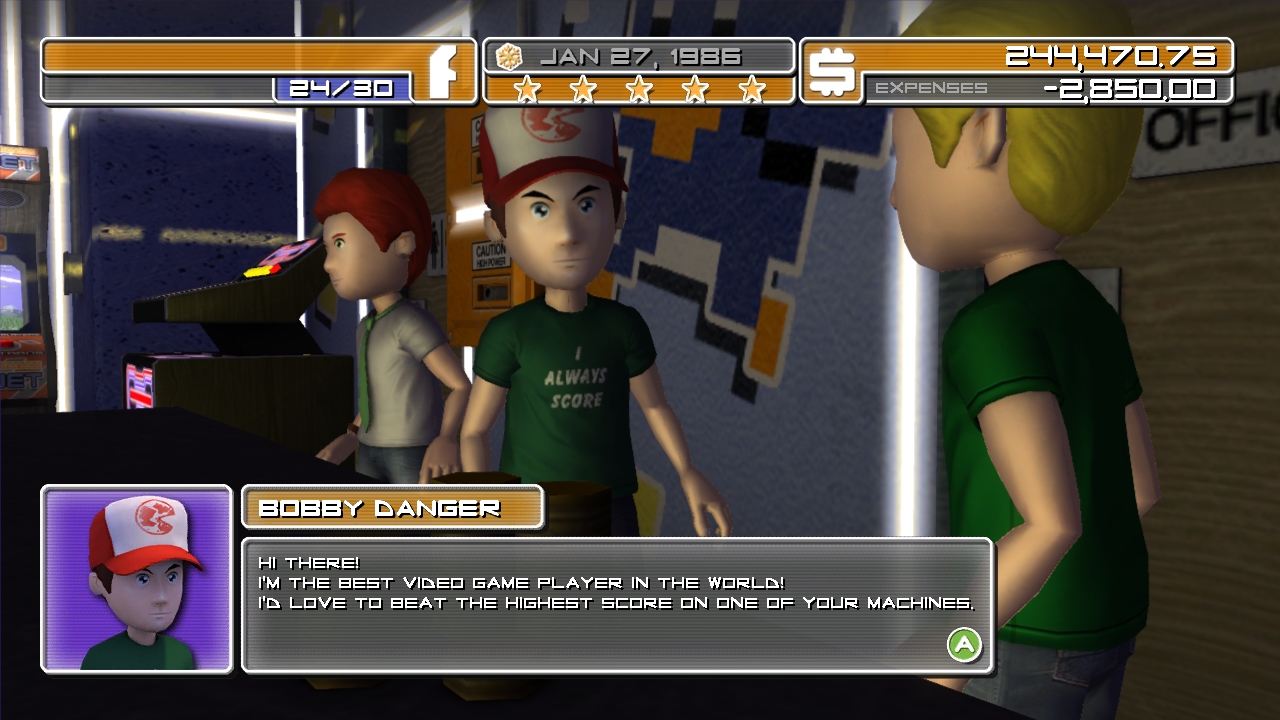
In your first simulated year of gameplay, you will eventually get a visit from a "pro gamer" named Bobby Danger, who wants to play one of your cabinets so he can get a high score. On most play-throughs, the pro gamer will approach you in the early months. He will continue to pop in randomly throughout the game.


Allowing the pro to use your machine has its pros and cons, and the choice is up to you.

If you allow him to do play, he will hog that cabinet for the duration of his play time, and you will NOT make any money on that cabinet while he plays. The upshot is that, if he does set a high score, your arcade will enjoy a brief boost in popularity, and the cabinet itself will surge in popularity. Again, popularity means more players in your arcade and more coins pumped into your cabinets, making more profit for you.

The downside is that setting a high score is not guaranteed -- the player can fail, and if he does, you've just missed out on a fairly big slice of revenue. It's all up to your preference, but in the early game I prefer to pass on letting the pro gamers on my cabinets. That way, I'm not taking a risk that could potentially make me miss out on purchasing a new cabinet.
Fall 1980: Upgrading your power grid so you can add more games to your arcade
By mid summer of your first year (possibly even earlier) you will have 10 machines, the maximum number you can have until you upgrade your power generator. It costs $5,000 to upgrade to the next power level, which will allow you to put up to 20 games on your arcade floor.

Although it may be tempting to use the money for some pretty neon lights or a sweet-looking wall graphic, it is ALWAYS better to upgrade your power -- and get more machines on the floor -- before spending money on cosmetic enhacements.

More machines in your arcade means more revenue and profit. Unfortunately, neon lights and freshly painted walls don't have coin slots, and while they will help boost your arcade's popularity, they won't earn you money.

Remember that adding more machines also contributes to a higher popularity rating, and it's possible to reach 5 stars without adding a single cosmetic enhancement.
What should I do with my old machines?
Another thing Arcadecraft gets right is the life cycle of games, from the newest and shiniest, to the dusty monochrome relics nestled in a back corner of the room.

Most games follow a typical progression that looks like this:

  • New release: High demand, earns money at a very fast rate, popularity peaks at 4 1/2 stars to 5 stars, should be placed in a prominent position in your arcade
  • Second tier: Mid to high demand, earns money at a fast rate, popularity hovers at 3 stars, should be placed in spots peripheral to your shiniest and newest games
  • Old and unpopular: Low demand, popularity sinks to 1 star, earns money at a slow rate, should be sold, put in storage, or used as filler in the back walls and corners of your arcade
  • Classic: Revived by nostalgia, officially marked by the game as a classic with a ribbon icon. Low-to-high demand, depending on the location of the cabinet and the game itself.

You have four options when it comes to your old machines -- you can sell them, you can place them in your limited storage room, you can keep them on the floor, or you can sell them to collectors.

Selling to collectors is the most profitable way to part with your old games, but it's not a process you can control -- a collector will show up randomly and ask to buy a game like Alien Landing for double what you'd get by selling it traditionally. Usually, when a collector appears and offers you money for a cabinet, that game will get a home console release within a month or two. It's the game's way of giving you a way to make some money back before a cabinet becomes a huge paperweight.

Games sink to one popularity star and make very little money when a home counterpart is released, so in most circumstances it's a good idea to agree to sell a game to a collector. However, in the case of a franchise game, it may be worth keeping -- for example, Phantom (Pac Man) has two sequels. When you place sequels side-by-side, the game grants a bonus to all games in that particular franchise. A trilogy of games with a sequel bonus, helped along by going classic, can haul in a lot of money over the long term.

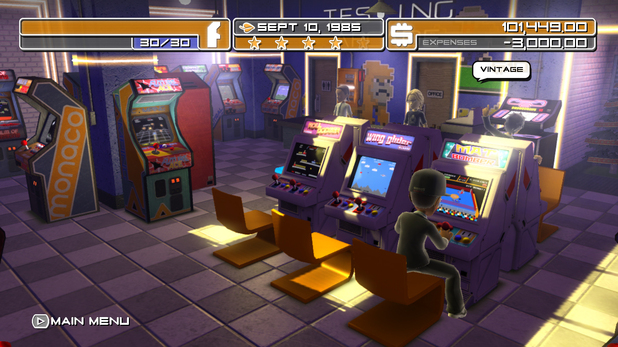
For typical games with short-lived popularity and no sequels, selling them off at one star is usually the right call. Just keep in mind it's better to have 30 machines on a floor than 24 or 25 machines, so keep your old games until you need to make room for new ones. Even if they're earning slowly, they're still earning.
Aesthetics and Power Capacity: Keeping your arcade at peak popularity
By now you know that the stars at the top of Arcadecraft's UI indicate your arcade's popularity. Five stars means your arcade is extremely popular. One star, not so much. Popularity is important because it draws in the customers who pump your cabinets full of quarters.

There are several ways to increase your arcade's popularity:

  • Volume: Adding more games
  • Aesthetics: Adding neon lights, spiffy new floors, a shiny new coat of paint, or a sweet wall graphic
  • Adding capacity: Adding additional capacity to your arcade, from 10 cabinets to 20, and eventually 30
  • Variety: Adding games from multiple genres, including shooters, sports, maze, puzzles, racing and pinball

(The soda and jukebox machines are in their own category when it comes to popularity. They impact popularity in the same way cabinets do, but they're "evergreen" and interest doesn't wane the way it does with games. Gamers always want their Mountain Dew.)

As we've mentioned previously in this guide, it's always better to upgrade your power -- and thus, your arcade's cabinet capacity -- than it is to put money into aesthetics. This is because upgrading power and adding games also increase your arcade's popularity, and neon lights don't come equipped with a coin slot. Games earn, paint and wall graphics don't. (At least, not directly.)

Going from having 10 machines on the floor to 20 machines on the floor can mean a difference of $6,000 or more revenue in a single month. By that time, you'll be pulling in so much revenue that you'll easily make up the cash to finally start making aesthetic improvements.

TIP: Avoid painting your floors with yellow or orange tiles; it makes it more difficult for you to spot the yellow bonus tiles when they appear randomly throughout the game. Black or blue floors offer the most contrast and make it easier to spot the bonus squares.

TIP: At $4,000, neon lights are the priciest aesthetic upgrade, but they also have much more of a positive impact on arcade popularity than other improvements like painting your arcade's walls or pillars. Also, neon looks pretty sweet.

TIP: Neon can increase your arcade's popularity by one star. Wall graphics, floor paint and wall paint increase popularity by half a star, and painting pillars boosts popularity by a quarter of a star.
10 Comments
I2epresent  [author] 6 Dec, 2015 @ 3:52pm 
@Rudy - The 360 version is slightly different, but mostly the differences are cosmetic. The XBLA version uses Microsoft avatars, the PC version doesn't.

The most pertinent gameplay instructions -- stuff about putting sequels together, mixing genres, making sure the backs of your cabinets are not exposed, throwing out nerd-ragers ASAP -- are exactly the same.

IIRC the XBLA version doesn't have one of the starter cabinets available on PC, but it does have special cabinets you can get from codes. There are two cabinets based off of other Firebase games, and both are better than average cabs.
MissBeckyLumi 15 Nov, 2015 @ 12:44am 
Im using this for the XB360 version, Are the steam and 360 near one to one ports or do you have a 360 guide somewhere?
The Road Mauler 2 Jun, 2015 @ 9:50am 
Let me put this to the test, before I may get bankrupt by New Year's Eve 1981-82
I2epresent  [author] 20 May, 2015 @ 1:34pm 
Same deal with game difficulty -- you can get away with adjusting the difficulty up for a late-game sequel when you have it on the floor next to its predecessor, but in general it's not a great idea to turn the difficulty up. You'll start to see customers complain and the popularity drop.

However...REDUCING the difficulty is a viable strategy for games that are past their shelf life. So if you have a once-popular machine that drops to 1 1/2 stars or lower, you can set the difficulty on low and place the cab on a back wall of your arcade. You will make more money off that machine that way...and when it turns "classic" it will enjoy a resurgence in popularity.
nathan 16 May, 2015 @ 2:33am 
what about the game difficulty like and what price for them?
I2epresent  [author] 15 May, 2015 @ 7:53pm 
Hey Nathan: For the most part, I would leave game prices as-is at 25 cents a pop to play. With some games you can get away with charging more, but they tend to be late-game cabinets. (Like Xzizar and Contract Bros. sequels, and only when you have them on the floor next to their originals.)

You can charge 50 cents for the sit-down race games, but they will lose 1 star and it really doesn't make a difference with your profit margin because those games are going to be making a crazy amount of cash anyway.

However, I always set the soda machine to $1, and the jukebox for 50 cents. You can get away with doing that with those machines because they're "evergreen" (always popular) and they don't have the demand/popularity cycle of cabinets. Also, if you raise the price on games your customers will complain (thought bubbles), but they won't complain about higher prices for sodas.

Hope that helps. Good luck.
nathan 12 May, 2015 @ 4:41am 
what about price to charge for the games like?
I2epresent  [author] 18 Mar, 2015 @ 5:19pm 
No problem. The most vital things in the early game are getting 4 cabinets + soda machine ASAP; taking advantage of yellow hotspots; and immediately clearing out nerd ragers before they can damage your machines.

Resist the temptation to constantly empty the coin boxes on your cabs. If you're emptying a machine, a customer can't play it during that time, so take a hands-off approach until the coin slots are close to full.

If you follow those steps in the first month, and throw any ragers out ASAP, you'll have the money to buy a new cab in early February, and again in early March, and so on. From there, it gets a lot easier as you have more customers pumping coins into more cabs. Good luck!
Race 18 Mar, 2015 @ 9:54am 
Thanks going to test this out now.. been having trouble getting that loan paid off..
Best Knifer SYA 8 Jan, 2015 @ 11:51pm 
1 нах